
.webp)
.webp)
.webp)
.webp)



.webp)

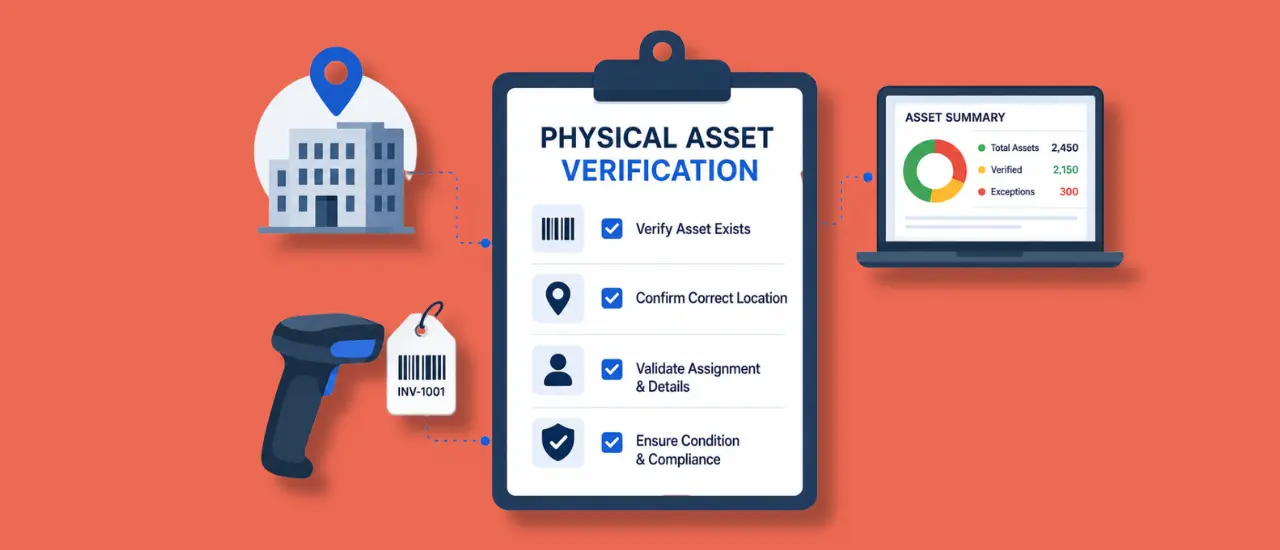
Managing assets across multiple offices, warehouses, plants, project sites, or retail locations can quickly become challenging. As organizations grow, assets are transferred between locations, assigned to employees, repaired, replaced, or retired. Over time, records can become inaccurate, leading to missing assets, duplicate entries, and compliance risks.
This is where physical asset verification becomes essential.
Physical asset verification helps organizations confirm that every asset recorded in their asset register actually exists, is located where it should be, and is being used by the right department or employee. It is a critical process for maintaining accurate asset records, preventing losses, and ensuring compliance during audits.
In this guide, we'll explain the physical asset verification process, discuss common challenges faced by multi location organizations, and provide a practical checklist to help streamline verification activities.
What Is Physical Asset Verification?
Physical asset verification is the process of physically inspecting and validating assets against records maintained in an organization's asset register or asset management system.
The objective is to verify:
- The asset exists
- The asset is in the correct location
- The asset information matches records
- The asset is assigned to the correct custodian or department
- The asset is operational and in expected condition
Organizations perform physical verification of assets periodically to maintain data accuracy and identify discrepancies before they become costly problems.
For businesses managing hundreds or thousands of assets across different locations, physical verification is not just a best practice. It is a necessity for operational control and financial accountability.
Why Physical Asset Verification Matters for Multi Location Organizations
When assets are spread across multiple branches, manufacturing units, warehouses, or project sites, tracking them manually becomes increasingly difficult.
Without regular physical asset verification, organizations often encounter:
Missing Assets
Assets may be misplaced, transferred without documentation, or lost entirely.
Ghost Assets
Some assets remain in records even though they no longer exist physically. These are commonly referred to as ghost assets and can inflate asset values.
Duplicate Asset Records
Poor record keeping can lead to duplicate entries, creating confusion during audits and reporting.
Compliance Issues
Many industries require organizations to maintain accurate asset records for regulatory compliance and financial audits.
Increased Operational Costs
Unverified assets can result in unnecessary purchases because teams assume equipment is unavailable when it actually exists elsewhere within the organization.
By implementing a structured verification process, businesses can significantly improve asset visibility and accountability.
Common Challenges in Physical Asset Verification
Despite its importance, physical verification of assets presents several challenges.
Managing Large Asset Volumes
Organizations with thousands of assets often struggle to verify every item within a limited timeframe.
Multiple Locations
Coordinating verification activities across geographically distributed locations can be complex and resource intensive.
Manual Record Keeping
Spreadsheets and paper based records increase the risk of errors and outdated information.
Inconsistent Asset Tagging
Missing or damaged asset tags make identification difficult during verification exercises.
Lack of Real Time Visibility
Without a centralized system, teams may struggle to determine asset ownership, movement history, and current location.
To overcome these challenges, organizations increasingly adopt dedicated solutions such as Asset Infinity's Asset Verification Software that helps automate verification activities and maintain accurate asset records.
Physical Asset Verification Process: Step by Step
A successful physical asset verification process requires careful planning and execution.
Step 1: Prepare the Asset Register
Begin by reviewing your existing asset register.
Ensure records include:
- Asset ID
- Asset name
- Asset category
- Asset location
- Assigned employee or department
- Purchase details
- Asset status
An accurate asset register forms the foundation of the verification process.
Step 2: Categorize Assets by Location
Divide assets based on branches, departments, warehouses, plants, or project sites.
This makes it easier to assign verification responsibilities and monitor progress.
Step 3: Assign Verification Teams
Designate responsible personnel for each location.
Provide clear instructions regarding:
- Verification criteria
- Data collection methods
- Reporting procedures
Consistency is critical when multiple teams are involved.
Step 4: Verify Asset Tags
Inspect asset tags and compare them with records.
Organizations using barcode, QR code, or RFID based asset tracking can significantly accelerate this stage.
If you want to explore various methods used during verification exercises, read our detailed guide on physical verification techniques.
Step 5: Validate Asset Information
Confirm that asset details match organizational records.
Verify:
- Asset location
- Asset condition
- Asset owner
- Asset category
- Asset identification number
Document any discrepancies immediately.
Step 6: Record Exceptions
Create a discrepancy report for:
- Missing assets
- Unregistered assets
- Damaged assets
- Duplicate records
- Incorrect asset assignments
This information helps management take corrective action.
Step 7: Update the Asset Management System
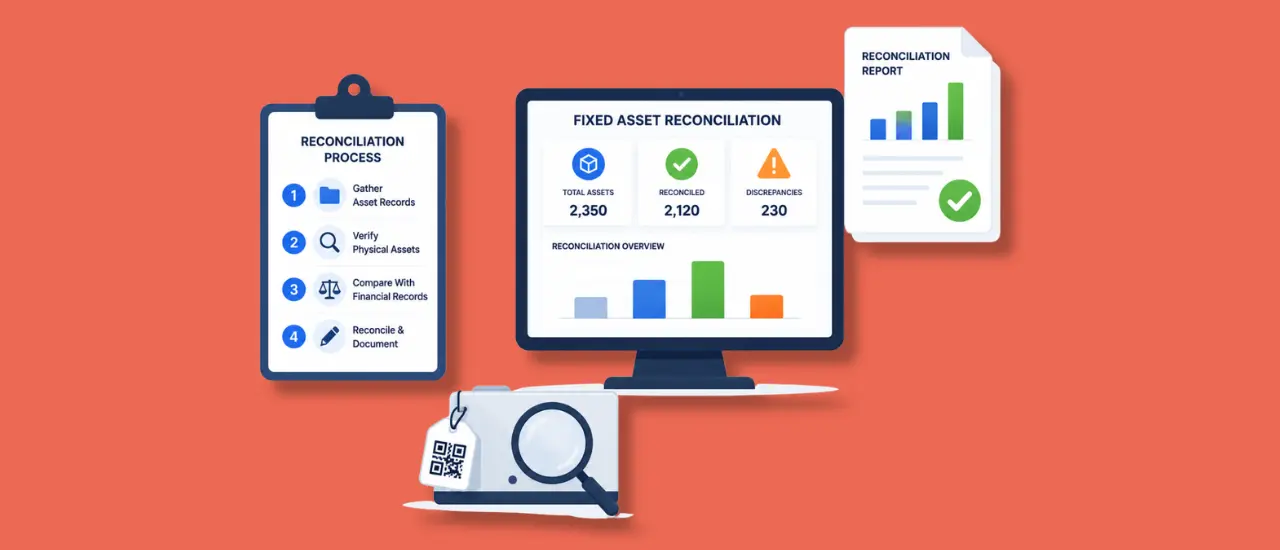
After verification, update records to reflect actual asset status and location.
Organizations using a centralized asset management platform can update information in real time, improving future verification accuracy.
Step 8: Generate Verification Reports
Prepare comprehensive reports highlighting:
- Verified assets
- Missing assets
- Surplus assets
- Asset condition observations
- Compliance findings
These reports provide valuable insights for decision makers and auditors.
.webp)
Physical Asset Verification Checklist
Use the following checklist during your next verification exercise.
Planning Stage
☐ Review the latest asset register
☐ Define verification objectives
☐ Identify all verification locations
☐ Assign verification teams
☐ Establish timelines
Asset Identification Stage
☐ Locate asset tags
☐ Confirm asset IDs
☐ Verify serial numbers
☐ Validate asset ownership
☐ Confirm department assignments
Physical Inspection Stage
☐ Inspect asset condition
☐ Confirm asset functionality
☐ Verify asset location
☐ Record missing assets
☐ Identify unregistered assets
Reporting Stage
☐ Document discrepancies
☐ Update asset records
☐ Generate verification reports
☐ Submit findings to management
☐ Schedule corrective actions
Following a structured checklist ensures consistency across all locations and improves verification accuracy.
Best Practices for Physical Verification of Assets
Standardize Asset Tagging
Every asset should have a unique identification number and asset tag.
Consistent tagging simplifies asset identification and verification.
Conduct Periodic Verification
Annual verification may not be sufficient for organizations with high asset movement.
Quarterly or semi annual verification often delivers better results.
Maintain a Centralized Asset Database
A centralized system provides visibility across all locations and reduces record duplication.
Automate Verification Activities
Using mobile based asset verification tools enables teams to verify assets faster while reducing manual errors.
Track Asset Movement
Organizations should record every transfer, assignment, and relocation to maintain accurate records.
For a detailed walkthrough, you can also explore our guide on how to do fixed asset verification, which covers practical implementation strategies.
How Technology Improves Physical Asset Verification
Traditional verification methods rely heavily on spreadsheets and manual record keeping.
Modern asset management solutions have transformed the verification process by providing:
- Centralized asset records
- Mobile verification applications
- Barcode and QR code scanning
- Real time updates
- Automated discrepancy reporting
- Audit ready reports
These capabilities reduce verification time while improving data accuracy.
Organizations that implement digital asset verification processes gain better visibility into asset utilization and lifecycle management.
.webp)
How Asset Infinity Simplifies Physical Asset Verification
Managing asset verification manually can be time consuming, especially for organizations operating across multiple locations.
Asset Infinity helps businesses streamline the entire verification process through its dedicated Asset Verification solution.
With Asset Infinity, organizations can:
- Verify assets using mobile devices
- Scan QR codes and barcodes instantly
- Track asset locations in real time
- Identify discrepancies quickly
- Generate verification reports automatically
- Maintain a centralized asset database
This enables organizations to complete verification exercises faster while ensuring higher levels of accuracy and accountability.
Conclusion
Physical asset verification is one of the most important practices for maintaining accurate asset records, preventing losses, and ensuring compliance across multi location organizations.
Without regular verification, businesses risk dealing with missing assets, inaccurate records, unnecessary purchases, and audit challenges.
By following a structured physical asset verification process, implementing a comprehensive checklist, and leveraging modern asset management technology, organizations can gain complete visibility into their assets and improve operational efficiency.
As asset portfolios continue to grow, investing in an efficient verification system is no longer optional. It is essential for maintaining control, accountability, and long term asset performance.


.webp)





.png)

