
.webp)
.webp)
.webp)
.webp)



.webp)

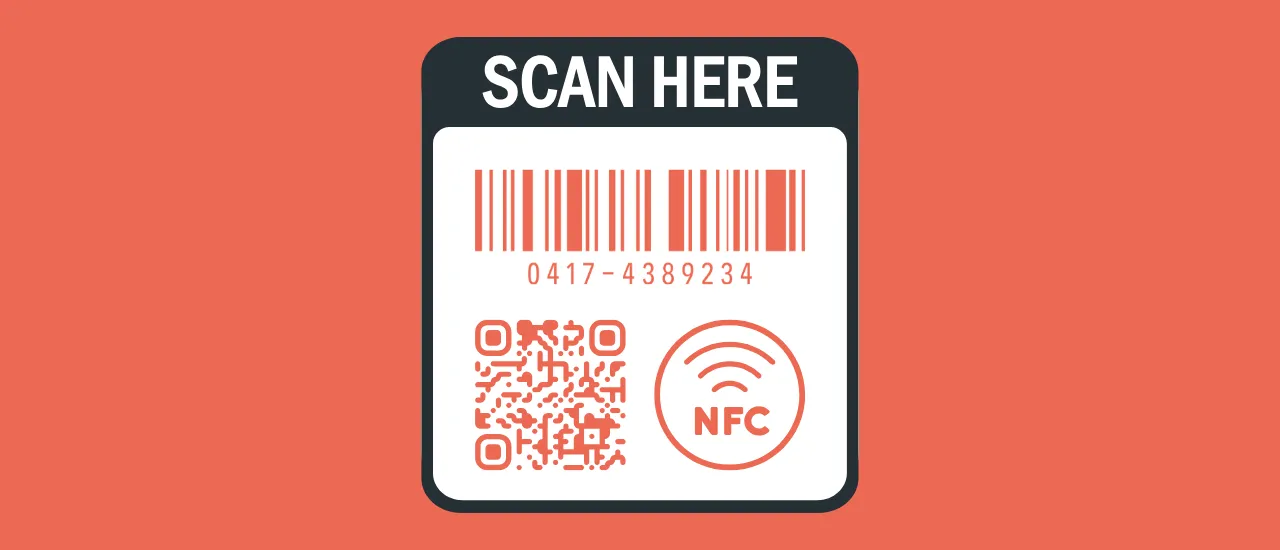
Managing inventory manually is no longer practical for businesses handling hundreds or thousands of products. Paper records, spreadsheets, and manual data entry often lead to inaccurate stock counts, misplaced inventory, delayed order fulfillment, and increased operational costs.
Modern businesses are adopting barcode, QR code and NFC inventory tracking systems to automate inventory identification, improve stock accuracy, and gain real time visibility across warehouses and multiple business locations.
Each technology offers unique advantages depending on the organization's size, operational requirements, and budget. While barcodes remain the most widely used inventory tracking solution, QR codes provide greater data capacity, and NFC enables fast contactless inventory management.
This guide explains everything you need to know about barcode, QR code and NFC inventory tracking, including how each technology works, their benefits, implementation process, industry applications, and best practices.
What Is Barcode, QR Code and NFC Inventory Tracking?
Barcode, QR code and NFC inventory tracking refers to the use of digital identification technologies to monitor inventory movement, track stock levels, and improve inventory accuracy throughout the supply chain.
Each inventory item is assigned a unique identifier that can be scanned or read electronically, allowing businesses to update inventory records instantly.
These technologies help organizations:
- Identify products quickly
- Track inventory movement
- Improve warehouse operations
- Reduce manual errors
- Automate stock updates
- Increase inventory visibility
- Improve inventory accuracy
Image Suggestion: Infographic comparing Barcode vs QR Code vs NFC for Inventory Tracking
Why Businesses Need Digital Inventory Tracking
As inventory volumes increase, manual inventory management becomes inefficient and error prone.
Common inventory problems include:
- Incorrect stock counts
- Misplaced inventory
- Slow warehouse operations
- Data entry errors
- Inventory shrinkage
- Delayed order fulfillment
- Poor inventory visibility
Barcode, QR code and NFC inventory tracking solve these problems by automating inventory identification and data collection.
Major benefits include:
- Faster inventory audits
- Improved inventory accuracy
- Better warehouse productivity
- Reduced labor costs
- Real time inventory visibility
- Improved customer satisfaction
Understanding Barcode Inventory Tracking
A barcode is a machine readable representation of product information using parallel lines and spaces.
Each barcode corresponds to a unique inventory record stored within an inventory management system.
Warehouse staff simply scan the barcode using handheld scanners or mobile devices to retrieve or update inventory information.
Benefits of Barcode Inventory Tracking
- Affordable implementation
- Fast inventory scanning
- Reduced manual data entry
- Higher inventory accuracy
- Faster receiving and dispatch
- Easy integration with inventory software
Barcode inventory tracking is ideal for businesses managing high volumes of inventory at relatively low implementation costs.
Understanding QR Code Inventory Tracking
QR (Quick Response) codes are two dimensional codes capable of storing significantly more information than traditional barcodes.
Unlike barcodes, QR codes can store:
- Product details
- Batch numbers
- Manufacturing dates
- Expiry dates
- Supplier information
- URLs
- Serial numbers
QR codes can also be scanned using smartphones, eliminating the need for dedicated barcode scanners in many situations.
Benefits of QR Code Inventory Tracking
- Higher data storage capacity
- Faster scanning from multiple angles
- Mobile friendly
- Improved product traceability
- Better inventory documentation
- Lower hardware investment
QR code inventory tracking is especially useful for businesses requiring detailed product information.
Understanding NFC Inventory Tracking
Near Field Communication (NFC) enables wireless communication between NFC enabled devices and inventory tags.
Unlike barcodes and QR codes, NFC tags do not require direct visual scanning.
Users simply tap an NFC enabled smartphone or reader near the inventory item to access inventory information.
Benefits of NFC Inventory Tracking
- Contactless inventory tracking
- Faster inventory updates
- Enhanced security
- Rewritable inventory tags
- Better user experience
- Real time information access
NFC inventory tracking is increasingly used for high value assets and equipment management.
Image Suggestion: Diagram showing Barcode Scanner, QR Code Smartphone Scan, and NFC Tap Process
Barcode vs QR Code vs NFC
Although all three technologies improve inventory management, they differ in capabilities.
Barcode
Best for:
- Retail inventory
- Warehouses
- Manufacturing
- Distribution centers
Advantages:
- Low cost
- Easy implementation
- Fast scanning
QR Code
Best for:
- Healthcare
- Equipment tracking
- Inventory documentation
- Multi location businesses
Advantages:
- Stores more information
- Smartphone compatible
- Better traceability
NFC
Best for:
- IT assets
- High value equipment
- Asset management
- Secure inventory tracking
Advantages:
- Contactless operation
- High security
- Faster authentication
- Real time updates
How Barcode, QR Code and NFC Inventory Tracking Works
A typical inventory tracking process follows these steps:
Step 1: Register Inventory
Each inventory item is entered into the inventory management software.
Step 2: Generate Unique Labels
The system creates barcode labels, QR codes, or NFC tags for every inventory item.
Step 3: Label Inventory
Tags are attached to products, equipment, pallets, or storage bins.
Step 4: Scan During Operations
Inventory is scanned during:
- Receiving
- Storage
- Picking
- Transfers
- Shipping
- Audits
Every scan automatically updates inventory records.
Step 5: Monitor Inventory in Real Time
Managers access dashboards showing:
- Current stock
- Inventory movement
- Warehouse locations
- Low stock alerts
- Inventory history
Benefits of Barcode, QR Code and NFC Inventory Tracking
Improved Inventory Accuracy
Automated scanning significantly reduces manual data entry errors.
Faster Inventory Audits
Inventory verification becomes much faster through digital scanning.
Real Time Inventory Visibility
Businesses can monitor inventory movement across warehouses instantly.
Reduced Inventory Loss
Tracking every inventory movement minimizes theft and misplaced inventory.
Better Warehouse Productivity
Employees spend less time searching for inventory and more time completing operational tasks.
Improved Customer Satisfaction
Accurate inventory data enables faster order fulfillment and fewer delivery delays.
Lower Operating Costs
Automation reduces labor requirements and minimizes inventory carrying costs.
Industry Use Cases
Manufacturing
Track raw materials, work in progress, and finished goods throughout production.
Retail
Maintain accurate stock levels while improving checkout and replenishment processes.
Healthcare
Track medicines, medical devices, laboratory equipment, and consumables.
Logistics
Monitor shipments, warehouse inventory, and distribution operations.
Construction
Manage tools, machinery, and equipment across multiple project sites.
Food and Beverage
Track expiry dates, batch numbers, and inventory movement for regulatory compliance.
Image Suggestion: Industry Illustration showing Manufacturing, Retail, Healthcare, Logistics, Construction, and Food & Beverage using Barcode, QR Code, and NFC
How to Implement Barcode, QR Code and NFC Inventory Tracking
Implementing a digital inventory tracking system involves several important steps.
Evaluate Business Requirements
Identify inventory volume, operational workflows, and tracking requirements.
Select the Right Technology
Choose:
- Barcode for affordability
- QR code for detailed information
- NFC for secure contactless tracking
Some organizations combine all three technologies depending on inventory categories.
Choose Inventory Management Software
Look for software that supports:
- Barcode generation
- QR code creation
- NFC integration
- Mobile inventory tracking
- Real time dashboards
- Multi location inventory
- Reporting and analytics
Label All Inventory
Apply durable labels or NFC tags to every inventory item.
Train Employees
Ensure warehouse teams understand scanning procedures and inventory workflows.
Monitor Performance
Regularly review inventory accuracy, scanning efficiency, and operational improvements.
Best Practices for Barcode, QR Code and NFC Inventory Tracking
Businesses can maximize results by following these best practices.
- Use durable labels designed for warehouse environments.
- Keep inventory records updated in real time.
- Standardize product naming and labeling conventions.
- Perform regular inventory audits and cycle counts.
- Replace damaged barcode labels and QR codes promptly.
- Protect NFC tags from unauthorized modifications.
- Train employees on consistent scanning procedures.
- Integrate inventory tracking with ERP and procurement systems.
- Monitor inventory performance using dashboards and reports.
Choosing Inventory Tracking Software
The ideal inventory management solution should include:
- Barcode inventory management
- QR code inventory tracking
- NFC compatibility
- Mobile scanning
- Real time inventory visibility
- Multi warehouse support
- Inventory reporting
- Automated stock alerts
- Purchase order management
- ERP integrations
Selecting scalable software ensures long term inventory control and operational efficiency.
Conclusion
Barcode, QR code and NFC inventory tracking have transformed how businesses manage inventory by replacing manual processes with fast, accurate, and automated tracking. These technologies improve inventory visibility, reduce errors, streamline warehouse operations, and support better decision making.
While barcode systems remain the most economical solution for many businesses, QR codes provide enhanced information storage and NFC delivers secure contactless tracking for high value assets. Choosing the right technology depends on your operational needs, inventory complexity, and long term growth plans.
By combining digital tracking technologies with modern inventory management software, organizations can achieve greater inventory accuracy, reduce operational costs, and build a more efficient supply chain.
Frequently Asked Questions
1. What is barcode, QR code and NFC inventory tracking?
Barcode, QR code and NFC inventory tracking uses digital identification technologies to monitor inventory movement, improve stock accuracy, and automate inventory management processes.
2. What is the difference between barcode, QR code, and NFC?
Barcodes store limited product information and require line of sight scanning, QR codes store more data and can be scanned with smartphones, while NFC enables secure contactless inventory tracking without visual scanning.
3. Which industries benefit most from barcode, QR code and NFC inventory tracking?
Manufacturing, retail, healthcare, logistics, construction, food and beverage, education, and warehousing all benefit from digital inventory tracking technologies.
4. Can barcode, QR code, and NFC systems work together?
Yes. Many businesses use a combination of barcode, QR code, and NFC technologies based on different inventory categories, operational needs, and security requirements.
5. What features should inventory tracking software include?
Inventory tracking software should support barcode and QR code generation, NFC integration, mobile scanning, real time inventory visibility, reporting, multi location management, automated alerts, and ERP integration.











.png)

