

The client
The client is a financial institution headquartered in Singapore, with branches and office locations served by a central support team that looks after buildings, equipment and outside service vendors.
A branch cannot serve customers well with a broken queue display, a jammed security door or an air conditioner that has stopped. Each fault needs the right people quickly, and many depend on a vendor under contract.
The challenge
Branch faults and internal support issues were reported by phone, email and chat to whoever picked up. Tickets were tracked in scattered lists, and the support team could not see what was open or who had it.
- The same fault was sometimes reported twice and fixed once, or reported once and lost.
- Assigning a job meant working out by hand which team or vendor owned that equipment.
- Delays waiting on vendors were mixed in with the team’s own delays.
- Branch managers called repeatedly to ask for updates.
- No history showed which branches or equipment raised the most faults.
What they set up in Asset Infinity
The bank ran branch and office support through Asset Infinity’s Work feature, with routing rules by category and the branch equipment kept in the asset register.
Report by scanning the equipment
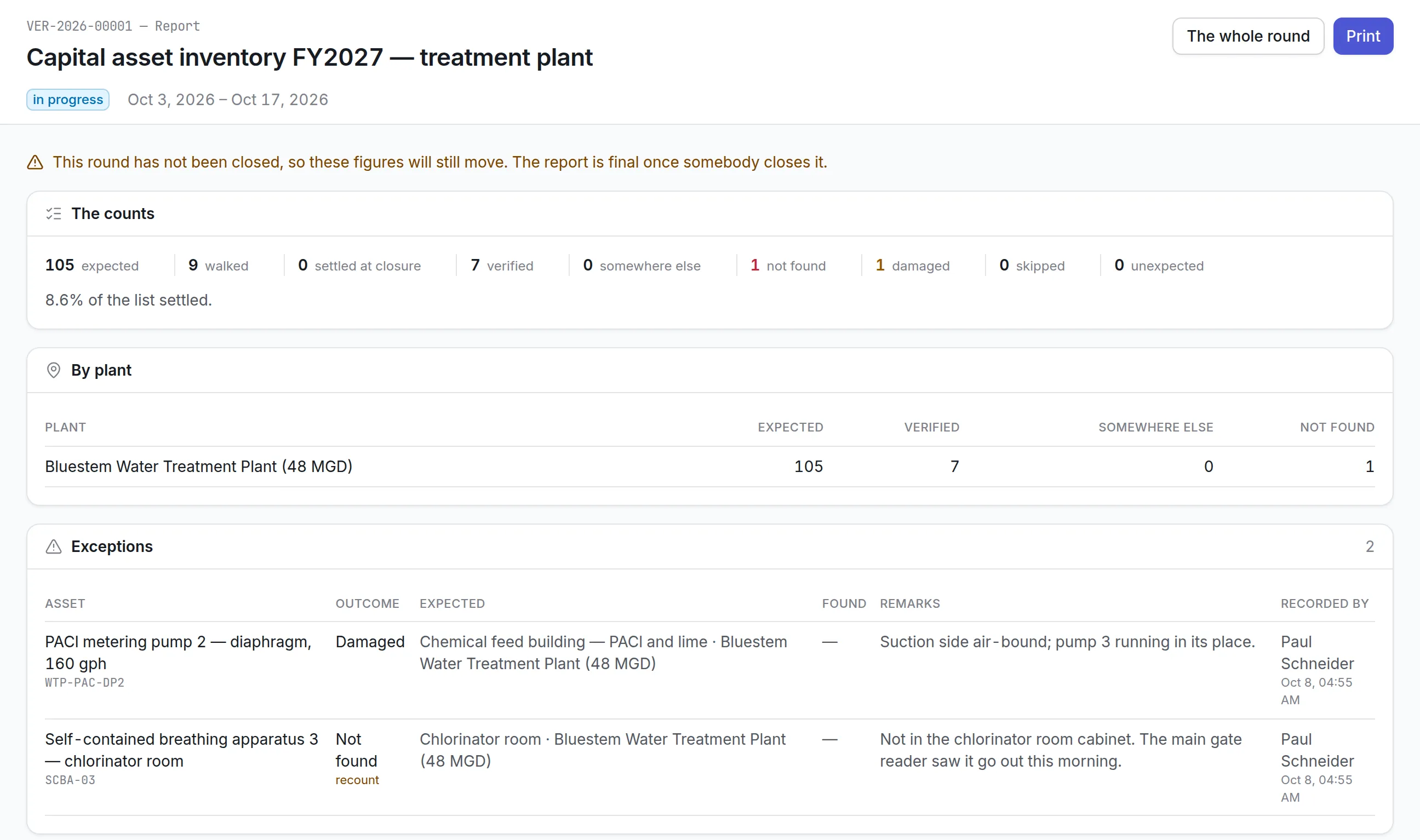
Branch staff scan the QR label on a door, display or air-conditioning unit, or use the web form, so each report names the branch and the item. (Work)
Routing by category
Categories such as electrical, security doors, air conditioning and office equipment send each request to the team that owns it. (Work)
SLA clocks that pause for vendors
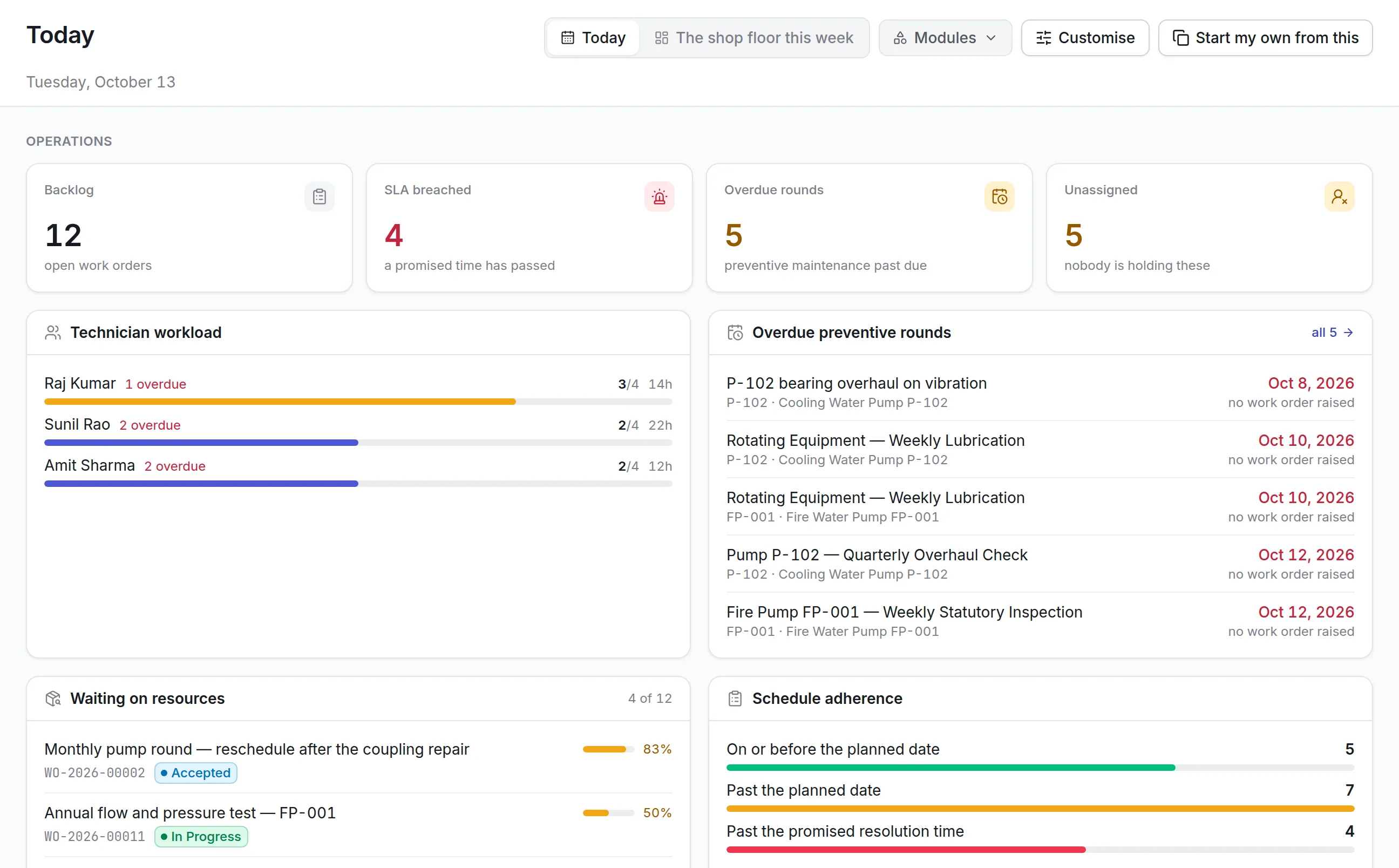
Each category has an SLA. When a job waits on an outside vendor, the clock pauses, so the team’s own response time is measured fairly. (Work)
Fault patterns by branch
Dashboards show open jobs, SLA breaches and repeat faults by branch and equipment type, so recurring problems are dealt with at the source. (Insight)
How it works day to day
Here is what happens when a branch’s security door stops locking.
- Branch staff: scans the door’s label. A staff member scans the QR label on the door frame, picks the security doors category, adds a photo and marks it urgent.
- System: routes it to the owner. The routing rule sends the request to the security systems team, and its SLA clock starts.
- Support coordinator: creates the work order. The coordinator turns the request into a work order and assigns the door maintenance vendor’s engineer, who is notified.
- System: pauses for the vendor’s part. When the engineer needs a replacement lock from the supplier, the job is set to waiting, and the SLA clock pauses.
- System: escalates if it stalls. If the job sits untouched past its limit, a reminder goes to the coordinator and the job is escalated.
- Vendor engineer: fixes and closes the job. The engineer fits the lock, records the work and closes the order. The branch sees the update.
- Support manager: reviews repeat faults. A weekly scheduled report lists branches and equipment with repeat faults and SLA breaches for follow-up.
Before and after
| Before | With Asset Infinity | |
|---|---|---|
| Reporting | Phone, email and chat to whoever answered | QR scan or web form, against the equipment |
| Assignment | Worked out by hand | Routed by category to the owning team |
| Tracking | Scattered lists | One queue with status for every ticket |
| Escalation | Only when a branch complained | Automatic when a job waits too long |
| Follow-up | Branch managers calling for updates | Status visible on the ticket |
How it rolled out
- Support practice reviewed. The team studied how faults were reported and assigned, and where tickets were lost.
- Tickets and routing set up. Past support records were moved in, and categories, routing rules and SLAs were configured for each support function.
- Branches and teams trained. Branch staff learned to report by scan; support teams to work and close jobs.
The results
- 32% faster resolution of branch and office faults
- Every fault is a tracked ticket with an owner from the moment it is reported.
- Jobs reach the right team or vendor without manual sorting.
- Escalations happen automatically when a job waits too long.
- Branch managers follow their own tickets instead of calling for updates.
Why it worked
Reports name the equipment
Scanning the label removes guesswork about which branch and which unit, so the right team goes first time.
Fair measure of response
Pausing the clock while a vendor sources parts shows where delays really sit.
Routing set without code
Categories and rules were configured by the support team, so they can adjust them as needs change.
Looking ahead
With every branch fault reported against the equipment it concerns and routed to the team that owns it, the bank’s support team resolves issues 32% faster and branches spend less time chasing.
The history built from these tickets shows which branches and which equipment fail most, which gives the bank a sound basis for service contracts and replacement plans.