

Asset Infinity product tour
A complete tour of Asset Infinity on a demo manufacturer: work orders, maintenance, the asset register, IT asset discovery and the platform behind them.
Transcript
Introduction
This is Asset Infinity: one platform for your assets, the maintenance that keeps them running, the stores and suppliers behind them, and what they cost. In the next few minutes, we'll go from signing up through every module, and finish with mobile, security, integrations, and the ways you can make it your own.
Getting started
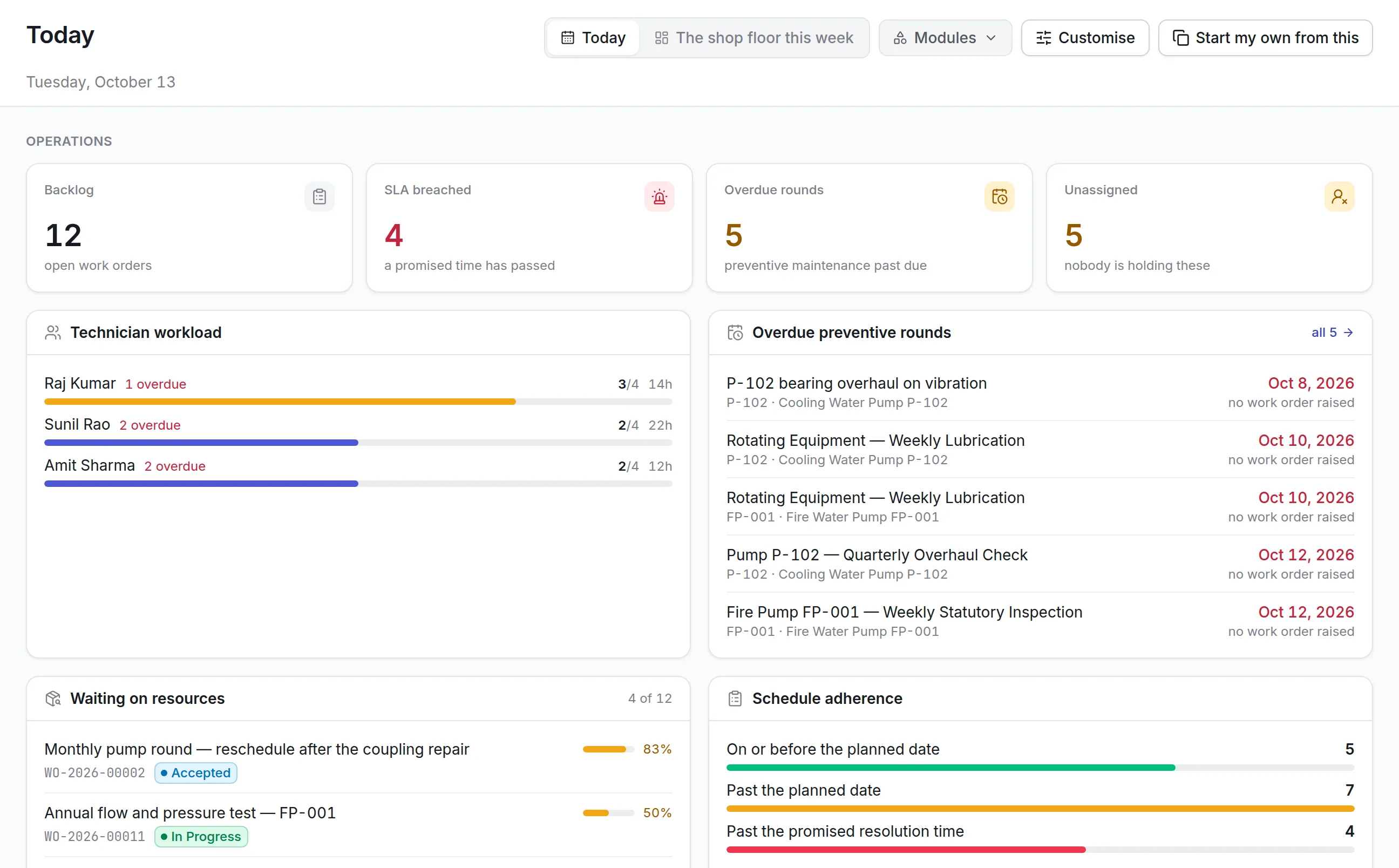
Getting started takes one form: your organization, your name, a work email and a password. You can also sign up with Google or Microsoft. The workspace is created with roles, statuses and a first site already in place. A new workspace opens on Getting started: a checklist in the order the product needs things. Sites, locations, people, assets, parts, vendors and plans. Each line takes a file, a template, or one record at a time, and anything you don't need can be set aside. Already have spreadsheets? Import Studio takes the whole workbook at once. It matches each tab to what it holds, checks the tabs against each other, shows you everything before it happens, and can undo the entire import as one step. Now let's step into Northwind, a manufacturer with two plants. Everyone starts on Today: the backlog, promises at risk, overdue rounds and unassigned work, with technician workload alongside. Every figure opens the list behind it, and each role can have its own layout. Everything lives in the main menu on the left. Today and Messages sit at the top. Below them, features are grouped by area: Work, Assets, Sites, Inventory, Property, Gatehouse, Workforce, Procurement, Finance, Commercial, Knowledge Base, Analytics and Setup. You only see the modules your organization has switched on and your role allows, and the menu search finds any screen by name. Across the top, switch between every site or just one, search every record from one box, scan a label, and create anything with New. Approvals waiting on you, sync collisions from the field, messages and notifications each have their own tray, and light or dark mode is one click away.
Work
Problems arrive as work requests: from the web, the mobile app, a QR code on the machine, email, or a rule. Planners triage them in one inbox, and turn a request into a work order with a click. The work order list opens on the views that matter: my work, unassigned, due today, overdue, SLA breached and critical. Filter, choose columns, save your own views, and export anything you see. Inside a work order, the whole job is in one place: the asset, the problem, who has it, the timing and the SLA clock. Readiness checks parts, tools, skills and people before anyone walks out. This job is blocked on a torque wrench and a second fitter. Tabs cover tasks, parts, labor, time, warranty, costs and the full audit trail. The dispatch board lays out every open job against technicians, teams and contractors. Drag a job onto someone to assign it, see who's on shift and how loaded they are, or switch to the map to dispatch by location. Behind dispatch are your people. Technicians carry skills, certifications and availability, and the skills matrix flags single points of failure, before one day of leave stops the work. Service levels are set per priority: how fast to respond, and how fast to resolve. Every job carries that clock, and the escalation ladder alerts the next person up before a promise is broken. High-risk work runs under a permit to work, such as hot work, confined space or electrical isolation. Each permit records its isolations, precautions and crew, and the register shows what's live, what's running out, and what was never handed back.
Maintenance
Preventive maintenance plans run on a calendar, on meter readings like running hours, or on condition, such as vibration crossing a limit. Each plan carries its assets, schedule, tasks, parts, tools and skills, and raises its own work orders when it falls due. Maintenance Due is the forward view of every occurrence. Raise work early, defer or skip with a reason, or switch to the calendar. Capacity planning compares the hours of work scheduled against the hours your team is rostered, day by day, so an overloaded Thursday is visible a week before it arrives. Inspections are digital checklists with limits, photos and mandatory steps. A reading outside its range fails by itself, a critical item fails the whole round, and each finding raises corrective work. Once submitted, the answers are frozen. Shutdowns and turnarounds are planned as one package: the jobs, the window, readiness, and the critical path. Here, eighteen hours of work won't fit a sixteen-hour window, and the plan says so before the plant stops. Reliability turns history into numbers: availability, MTBF and MTTR, the worst performers, and what to do about them. This bearing has failed ten times in a year, the same way each time, so the product recommends a root cause investigation. Root cause analysis runs as five whys, each answer backed by evidence, down to the real cause: degraded baseplate grout. Corrective actions are tracked, and later reviewed to confirm they actually worked.
Assets
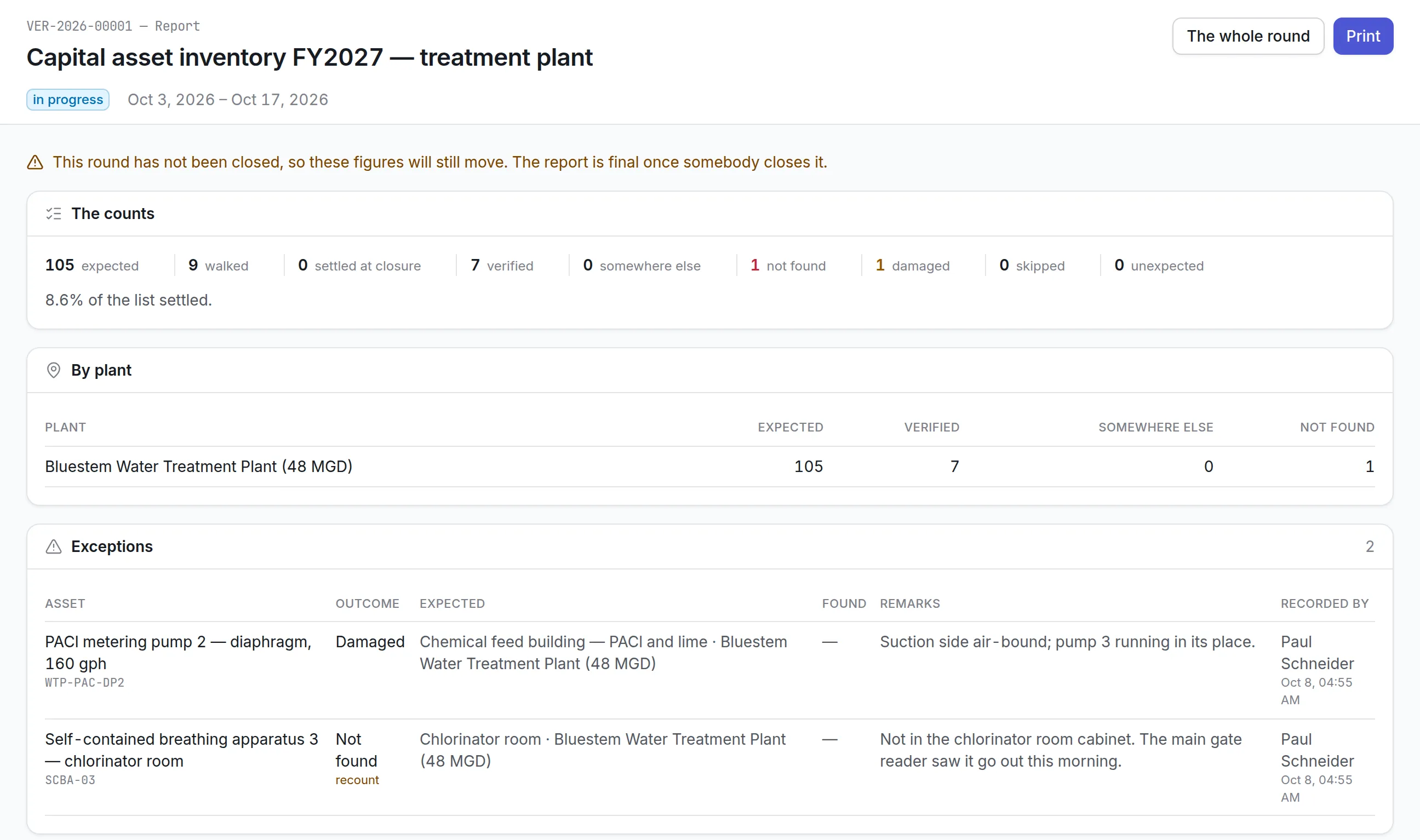
The asset register holds every machine, vehicle, building system and laptop, with criticality, location and a health score. View it as a list, a hierarchy tree, or on a map. Each asset keeps its whole life in one record. Health, components, maintenance, the bill of materials, meters, warranty and contract cover, failures, costs, depreciation, downtime and files. Sites hold it all together. Each site carries its locations, floor plans and working week, which service levels are measured against, alongside its assets, work, maintenance, stores and people. A site with no working week is flagged, because its promises would be measured against nothing. Asset verification runs physical audits: full counts, samples, targeted checks, or self-verification by whoever holds the asset. Auditors scan as they walk, and the round reports what was found, missing, or unexpected. Tools and test equipment are issued and returned against people and jobs, with calibration intervals and due dates, so an instrument out of calibration never reaches the floor. Label Studio designs asset, location, tool and bin labels with QR codes, barcodes and RFID encoding, and prints straight to Zebra printers. Scanning a label opens the record on any device. Scan a label from the menu or with the phone's camera, and the record opens straight away. If a label is damaged, type the code by hand. Documents keeps manuals, certificates, warranties and procedures under revision control, filed against the assets they belong to, with expiry and review dates watched for you.
Stores
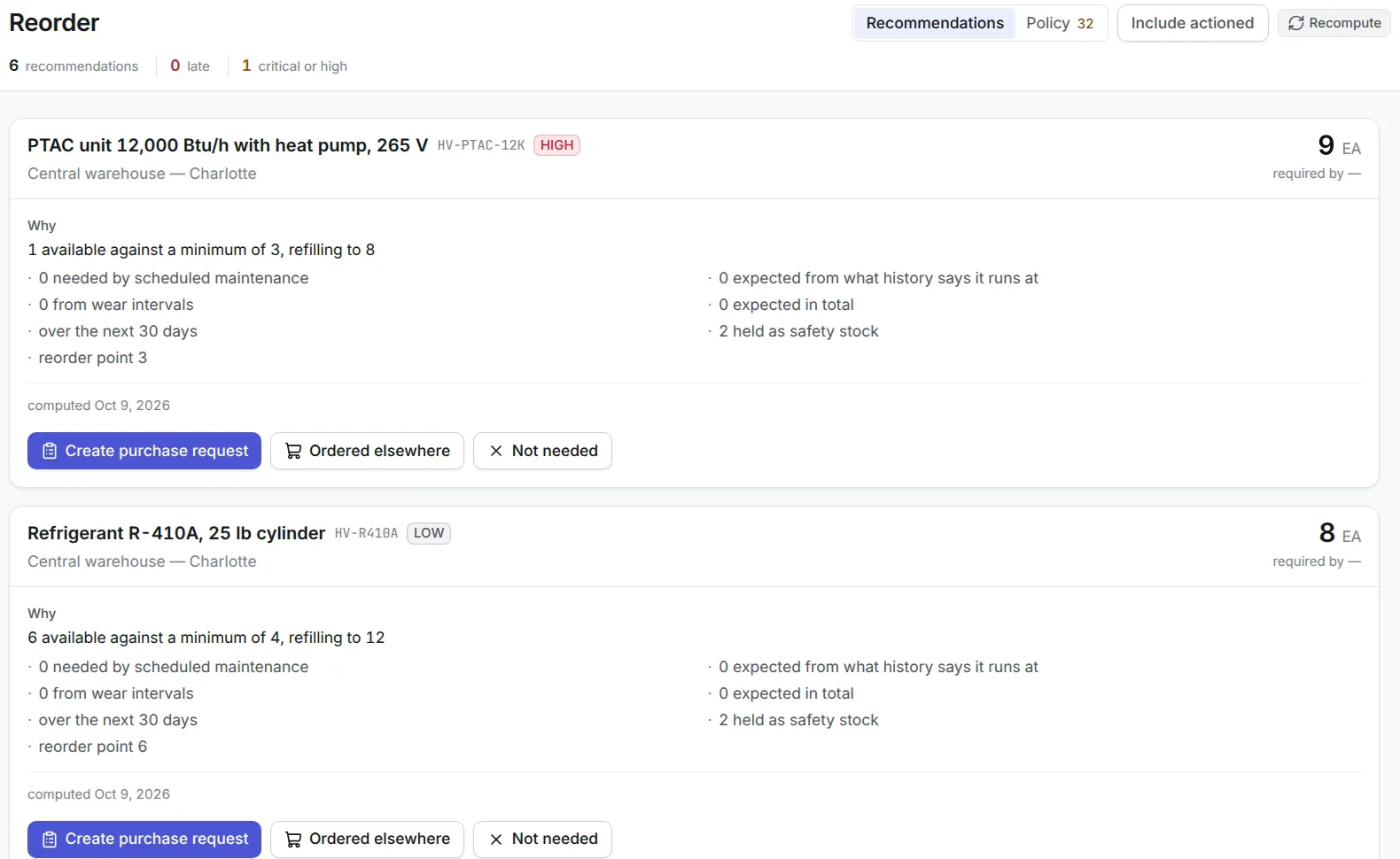
Parts and stock show what's on hand, reserved, available and on order, across every store, down to a technician's van. Criticality, reorder points and lead times sit beside each part. Each part tracks stock by store and bin, every transaction, its suppliers, alternatives, where it's used, consumption and future demand. Receive, transfer, adjust, count and issue, all from here. Reordering is calculated, not guessed. Recommendations combine scheduled maintenance, wear intervals and usage history, and explain exactly why ten bearings are needed, and by when. Stores, bins and part categories are set up once, and every movement is recorded against them.
Suppliers
Purchasing starts with a request, raised by hand, from a work order, or by a reorder point, and approved through your own workflow. Sourcing then checks the shelf and the spares, so nothing is bought that's already in stock. Requests for quotation compare vendors side by side on price, lead time, warranty, rating and terms, score them, and record why the winner won. Purchase orders follow every line through dispatch, receipt and invoice, and Awaiting Delivery shows what's late, and what a supplier never acknowledged. Vendors keep their contacts, capabilities, rates, compliance documents and a performance score. Approved suppliers can sign in to their own portal to see their orders and jobs. Contracts cover service agreements, warranties and leases: what's covered, service levels, pricing, visits and claims, with renewals flagged inside their notice period. Vendor invoices are checked against what was quoted and agreed, and the spend forecast projects the next twelve months from planned work and run rate.
Connected: sensors, RFID, GPS, energy
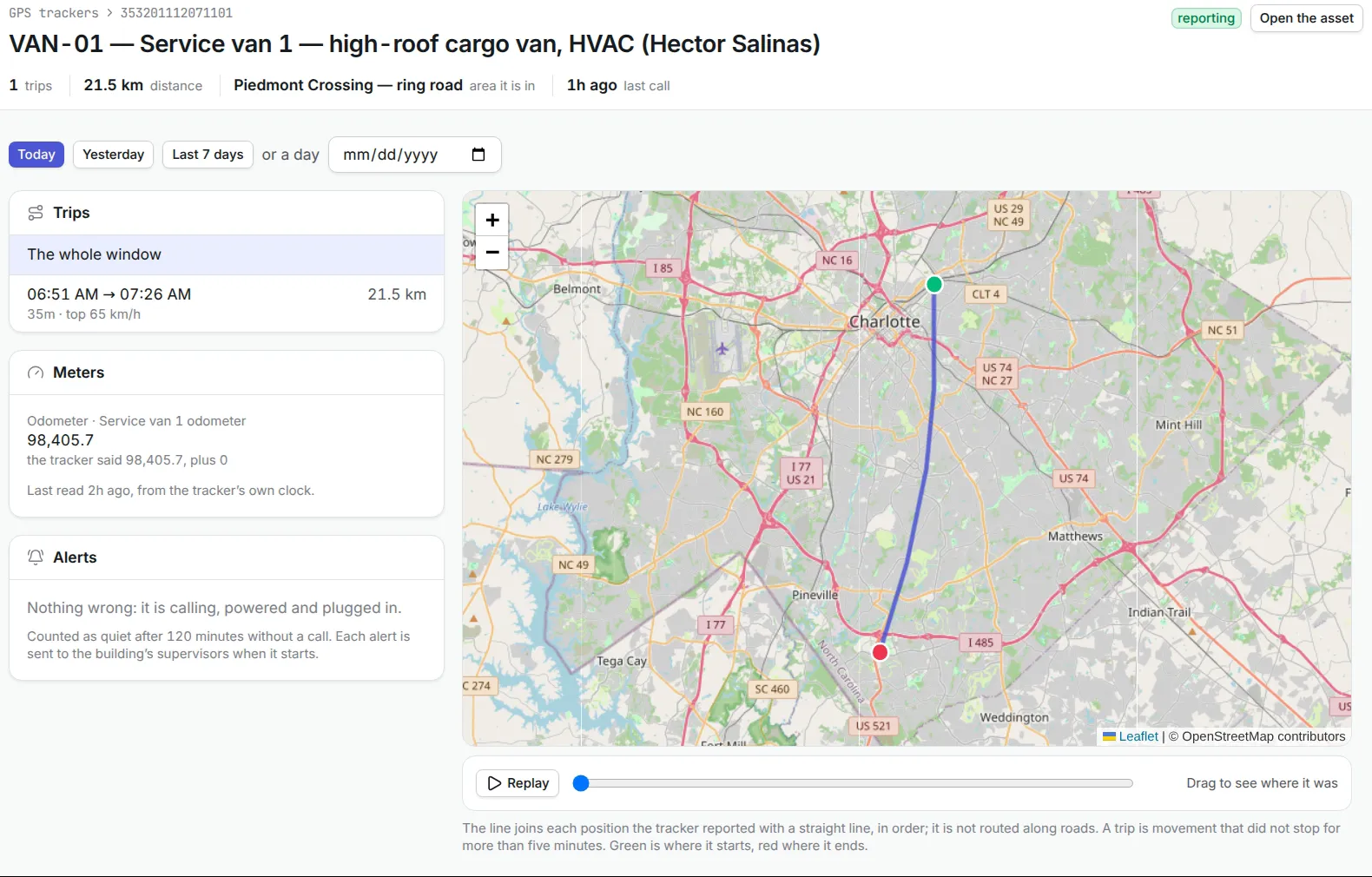
Sensors stream readings over MQTT or HTTPS. Limits raise alerts, readings feed meters, and a vibration crossing its threshold can trigger maintenance on its own. Fixed and handheld RFID readers turn tag reads into presence and movement: what's here, what passed through which doorway, and which antennas have gone quiet. GPS trackers report where vehicles and mobile equipment are, their trips, odometer and engine hours, with geofenced areas, and an alert when a tracker goes silent. Energy management reads every supply point, compares consumption with what was expected, and turns the gaps, like an air handler running all weekend, into findings and work orders.
Site services
Bookings reserve equipment, rooms, bays and people, with rate cards, availability, and charges to the right cost center. Lost and found matches handed-in property to lost reports by serial number and description, and tracks each item until it's collected. At the gate, security picks the site and the direction, and checks people and devices in or out, by scanning a pass or by hand. Every movement lands in the site's register. Visitors and contractors are booked in ahead and get printed badges, and the devices they bring on site are declared, with rules that hold anything sensitive at the gate until someone signs it off. The knowledge base captures what your teams have learned: articles, troubleshooting guides and lessons learned, offered automatically on the work orders they apply to. And messages keep conversations inside the product, linked to any work order, asset or purchase request.
Finance
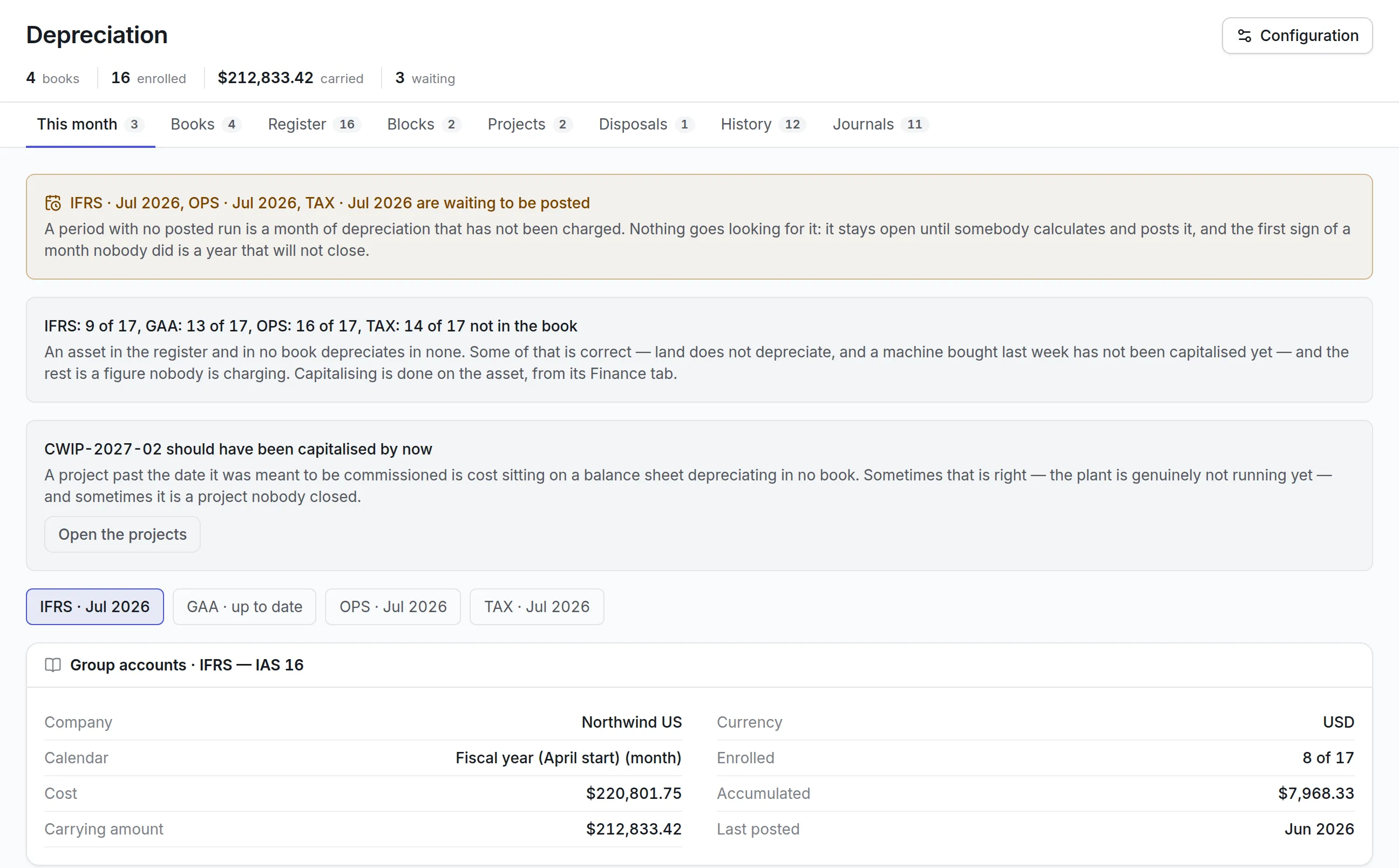
Fixed asset accounting depreciates every asset in several books at once, such as group accounts, federal tax and management, each with its own methods and rate tables. Monthly runs post journals, and projects, blocks and disposals are all handled. Budgets hold what was sanctioned and released for each head, and every order charged to a head commits against it, so overspend shows up before it happens. Capex planning gathers each site's capital schemes for the year, with priority, justification and monthly cash flow. Once a plan is approved, its schemes become budget heads automatically. FF&E planning sets aside a reserve for furniture, fixtures and equipment, and schedules each replacement against it over the next five years.
Insight
Dashboards come ready-made for executives, maintenance, reliability, inventory, purchasing and more. Build your own from widgets, share them, and have them emailed on a schedule. Report Studio builds reports over nearly five hundred data sources and schedules them. Every report runs with the reader's own access, so sharing never reveals more than someone may see. Copilot is the AI assistant. It answers questions about your own data, diagnoses failures, suggests classifications and drafts work. Every suggestion can be accepted or rejected, and the acceptance rate shows whether it's earning its keep. It stays off until your organization agrees to it. It also lives on the record itself. On a work order or an asset, Copilot already knows the history, the sensor readings and the knowledge base, and answers in that context.
IT asset discovery
Agents for Windows, macOS, Linux and Android, network collectors, and cloud connectors report every device they find. Discovery matches each one to the register and asks you only about the rest. Software asset management compares what's installed against what you're entitled to, so you can see where you're short of licenses, what's unused, and what's blocked. And the network topology maps your switches, access points and the devices on each port.
The platform: mobile, customization, localization, security, integrations
Technicians work from the mobile app, on iOS, Android or the browser. They see their own jobs, scan QR codes and RFID tags, record readings and close work with no signal at all, and everything syncs when they're back in range. Back in the office, the Sync Center shows what the field couldn't apply: collisions where a record changed while a device was offline, actions the rules refused, and every device in service, with a remote wipe for one that's been lost. Administration puts every setting in one place, from statuses and service levels to stores, labels and energy. Make it yours. Form Studio adds custom fields to any record, the workflow builder defines who signs off what, rules automate the rest, and statuses and lifecycles are yours to shape. Switch modules on or off, put your own logo and colors on your own address, and choose what each role sees first. Localization renames anything, so a work order can become a job everywhere at once. The product speaks English, French and Arabic, with full right-to-left layout, and dates, numbers and currencies follow each user. Security is built into the database itself. Every organization is isolated by row-level security, and roles and site scope decide what each person can see and do. Password policy, multi-factor authentication and lockout are yours to set. Sign in through SAML, OpenID Connect or Active Directory, and provision users with SCIM. And every change is in the audit trail: who changed what, when, and what it was before. And it connects to everything else: a full REST API, signed webhooks, SFTP file exchange, alerts by email, text, Teams, WhatsApp and Telegram, a feed for your SIEM, and an MCP server, so AI assistants like Claude can work with your data securely. That's Asset Infinity: one platform, from the first asset to the last invoice. Schedule a demo, or start your free trial, at assetinfinity.com.
See it with your own assets
A demo run on an example from your industry. Or start the trial and look around on your own.