

The client
The client is a large construction company in the UAE working on infrastructure projects, with many sites active at the same time.
Each site runs a tool room holding power tools, laser levels, survey instruments, welding sets, portable generators and lighting towers. Crews borrow them daily, and equipment often moves to another project when a phase finishes.
The challenge
Tool rooms kept handwritten logs, and equipment moved between sites without a record. Items went missing, others sat unused at one site while another hired them in, and nobody could say who had what.
- Manual logs could not show where an item was or who had it.
- Tools were misplaced or lost, especially when moved between sites.
- Equipment sat idle at one site while another site was short.
- No one could be held accountable for missing items.
- Missing equipment delayed work on site.
What they set up in Asset Infinity
The firm managed its tools and portable equipment in Asset Infinity’s Assets feature, with every item labeled and every check-out tied to a person.
Labeled tools in one register
Every tool and portable machine has a QR label and a record showing its home site, current holder and condition. (Assets)
Check-out to a named foreman
The tool room keeper scans the item and the borrower, and the item is out in that foreman’s name until it is checked back in. (Assets)
Site-to-site transfers
When equipment moves to another project, the move is recorded, so the receiving site and the register both know it has arrived. (Assets)
Tool room counts
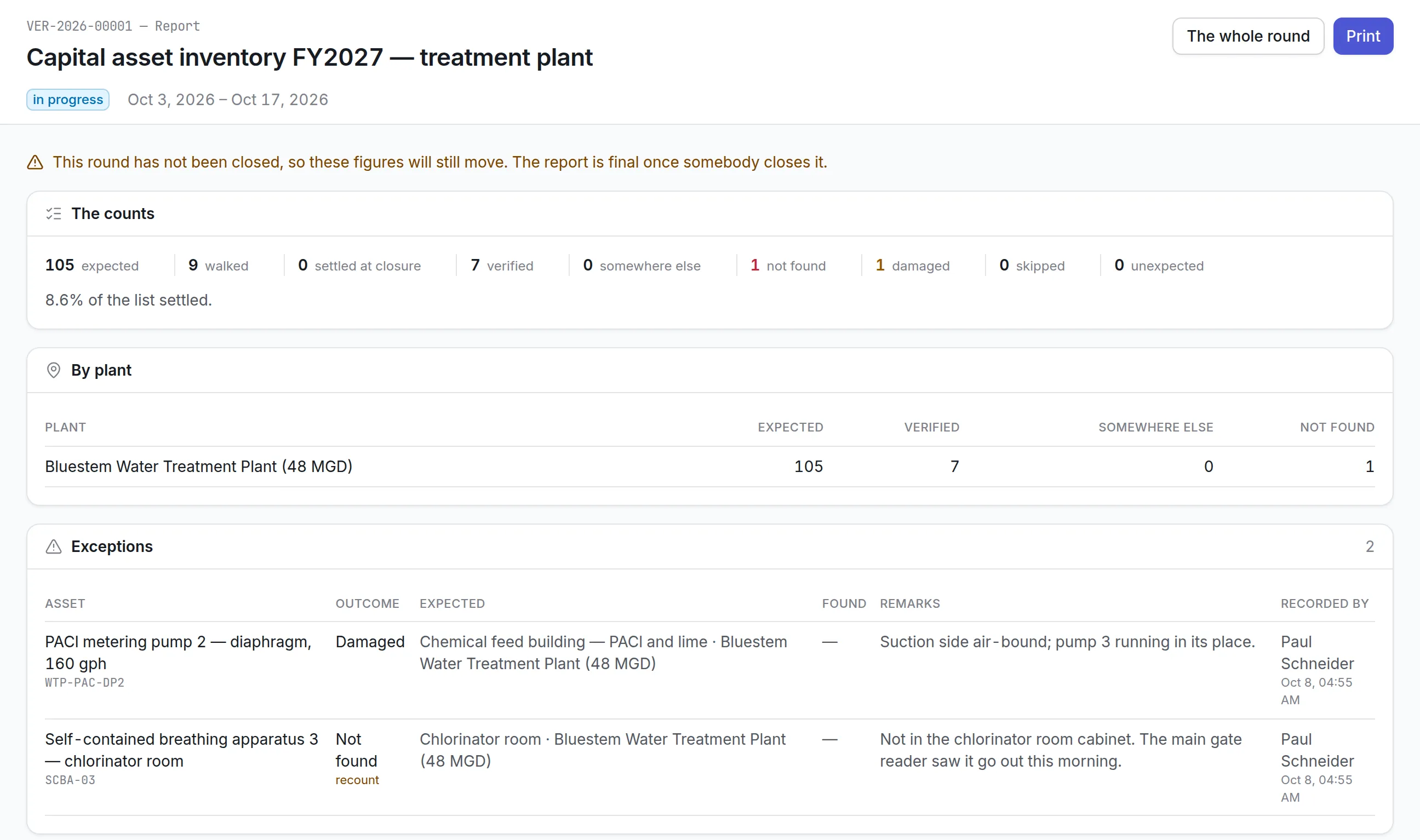
Regular verification rounds confirm what each tool room holds and flag anything not found or damaged. (Assets)
How it works day to day
This is how a laser level gets from one site’s tool room to the next.
- Foreman: collects the level. At the start of the day the foreman asks the tool room for a laser level for the setting-out work.
- Tool room keeper: checks it out by scan. The keeper scans the level’s QR label and records the foreman as the holder.
- System: shows who holds what. The register shows the level as checked out to that foreman, so anyone looking for it knows whom to ask.
- Tool room keeper: checks it back in. When the level comes back, the keeper scans it in and notes its condition. A damaged item is flagged for repair.
- Site manager: transfers it to the next project. When the phase ends, the level is sent to another site, and the transfer is recorded so the new tool room receives it on the register.
- Tool room keeper: counts the room. On a regular round the keeper scans every item, marking each verified, moved, not found or damaged.
- Operations manager: reviews losses. Reports list items not found, with their last holder and site, so missing tools are traced quickly.
Before and after
| Before | With Asset Infinity | |
|---|---|---|
| Records | Handwritten tool room logs | One labeled register for all sites |
| Who has it | Unknown once the item left the room | Checked out to a named person |
| Moves between sites | Not recorded | Recorded as transfers |
| Utilization | Idle at one site, short at another | Spare equipment visible across projects |
| Loss | Frequent, with no accountability | Down 25%, with a last holder on record |
How it rolled out
- Tool rooms assessed. The team reviewed how each site logged tools and where items were lost.
- Equipment labeled and loaded. Tool and equipment records were consolidated into one register, and every item was labeled with categories by site.
- Site teams trained. Site managers and tool room keepers were trained in hands-on sessions on check-out, transfers and counts.
The results
- 25% less tool and equipment loss
- Live view of tools and equipment by project site.
- Better use of equipment, with items available where needed.
- One record and history for every tool.
- Clear accountability for who holds each item.
- Fewer project delays caused by missing equipment.
Why it worked
A name on every item
Check-out to a person makes equipment someone’s responsibility, which handwritten logs never did.
Fast at the tool room
Scanning a label is quicker than writing an entry, so keepers record every handover.
Projects share equipment
Seeing items across sites lets managers move tools instead of hiring or buying more.
Looking ahead
Because every item is now checked out to a named person and every move between sites is on record, the firm reduced tool and equipment loss by 25%.
Site managers can now see spare equipment at other projects before hiring in, and the tool records show which items are worn out and due for replacement.