


In this article
- What Is Inventory Management Software?
- Why Inventory Management Software Is Important
- Key Features of Inventory Management Software
- Benefits of Inventory Management Software
- Types of Inventory Management Software
- Who Should Use Inventory Management Software?
- Common Inventory Challenges Solved by Inventory Management Software
- How to Choose the Right Inventory Management Software
- Best Practices for Successful Inventory Management
- Why Businesses Choose Asset Infinity Inventory Management Software
- Conclusion
- Frequently Asked Questions
Inventory is one of the most valuable assets for businesses that manufacture, distribute, sell, or store products. Yet many organizations continue to rely on spreadsheets or manual processes that result in stock discrepancies, delayed replenishment, excess inventory, and lost sales.
This is where inventory management software becomes an essential business tool. It enables organizations to monitor inventory in real time, automate stock movement, improve forecasting, and ensure products are always available when customers need them.
Whether you run a manufacturing plant, warehouse, retail chain, healthcare facility, utility company, or service organization, implementing the right inventory management software can significantly improve operational efficiency while reducing costs.
In this complete guide, you’ll learn everything about inventory management software, including its features, benefits, different types, implementation best practices, and how to select the ideal solution for your business.
What Is Inventory Management Software?
Inventory management software is a digital solution that helps businesses monitor, organize, and control inventory throughout its lifecycle. It records every inventory transaction, including purchases, receipts, transfers, issues, returns, and stock adjustments, while maintaining real time inventory visibility.
Instead of manually updating stock records, businesses can automate inventory processes and maintain accurate inventory information across multiple warehouses or locations.
Modern inventory management systems also integrate with procurement, barcode scanning, QR codes, accounting software, ERP systems, and mobile applications to provide a centralized inventory management platform.
Why Inventory Management Software Is Important
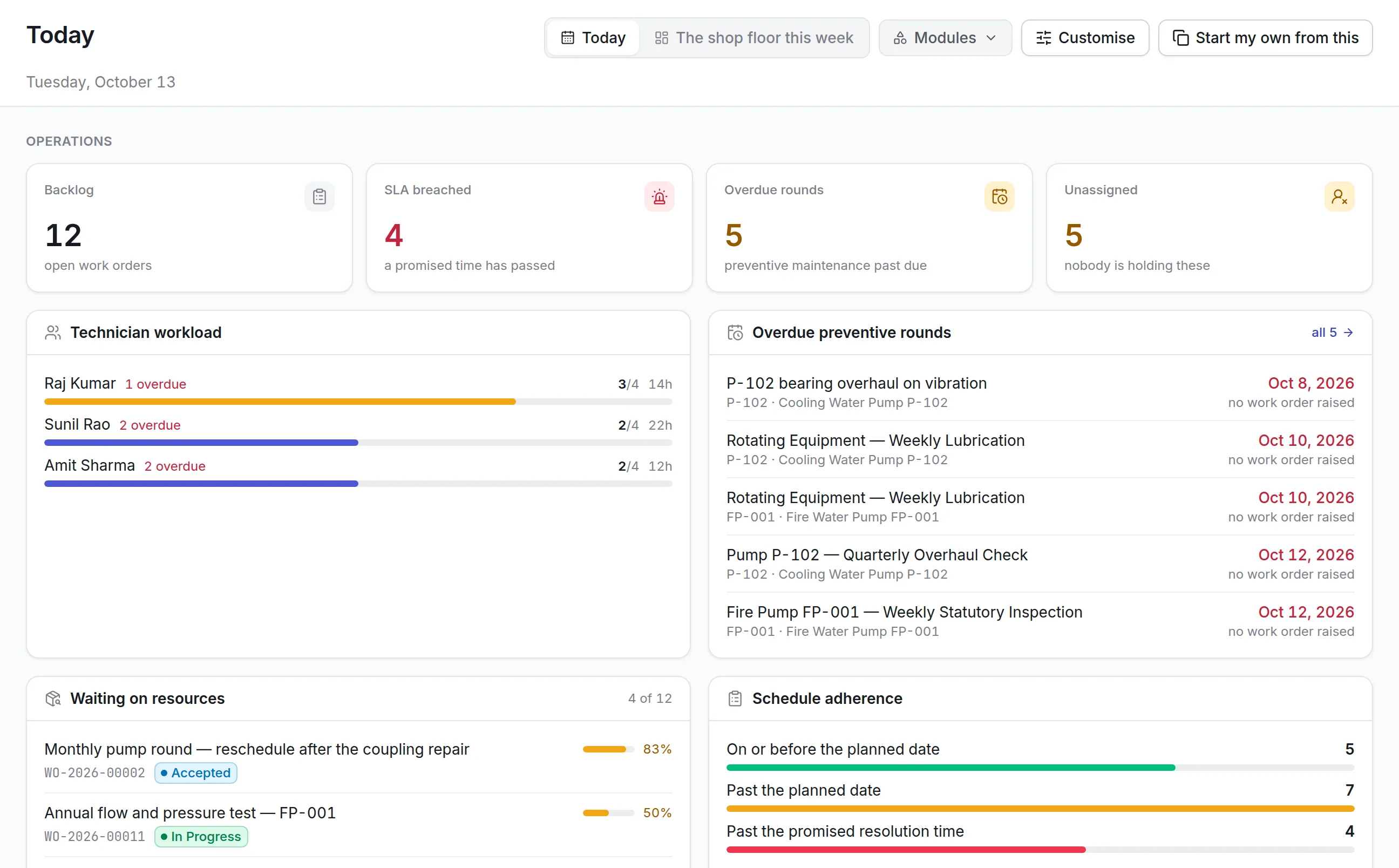
Inventory directly impacts customer satisfaction, cash flow, production planning, and profitability. Without proper inventory control, businesses often experience:
- Overstocking
- Stock shortages
- Inventory inaccuracies
- Expired products
- Delayed deliveries
- Lost revenue
- Increased storage costs
- Poor purchasing decisions
Inventory management software eliminates these challenges by providing complete visibility into inventory operations.
Key Features of Inventory Management Software
The right inventory management software should include comprehensive capabilities that simplify inventory control while improving accuracy.
Real Time Inventory Tracking
Monitor inventory quantities across multiple warehouses and locations in real time.
Benefits include:
- Accurate stock visibility
- Instant stock updates
- Better inventory decisions
- Reduced inventory discrepancies
Barcode and QR Code Management
Barcode and QR code technology speeds up inventory operations while reducing manual errors.
Common uses include:
- Inventory receiving
- Stock transfers
- Inventory audits
- Product identification
- Warehouse management
Multi Location Inventory Management
Businesses operating multiple warehouses require centralized inventory visibility.
This feature helps organizations:
- Track inventory across branches
- Transfer stock between locations
- Balance inventory efficiently
- Reduce duplicate purchases
Inventory Alerts and Notifications
Automated alerts help businesses avoid costly inventory problems.
Examples include:
- Low stock alerts
- Overstock notifications
- Reorder reminders
- Expiry alerts
- Slow moving inventory alerts
Purchase Order Management
Inventory software simplifies procurement by allowing users to:
- Create purchase orders
- Track vendor deliveries
- Monitor pending orders
- Manage supplier performance
Inventory Auditing
Inventory auditing features simplify stock verification through:
- Cycle counts
- Physical verification
- Stock reconciliation
- Audit reports
Reporting and Analytics
Powerful dashboards help businesses analyze inventory performance using reports such as:
- Inventory valuation
- Fast moving items
- Slow moving inventory
- Stock aging
- Inventory turnover
- Purchase history
Mobile Inventory Management
Mobile applications enable employees to perform inventory operations from anywhere.
Users can:
- Scan barcodes
- Update inventory
- Approve requests
- Conduct audits
- Track inventory remotely
Benefits of Inventory Management Software
Improved Inventory Accuracy
Automated inventory tracking minimizes manual entry errors and ensures accurate inventory records.
Better Stock Visibility
Real time dashboards provide complete visibility into inventory across all business locations.
Reduced Inventory Costs
Organizations can reduce carrying costs by avoiding excessive inventory purchases and optimizing stock levels.
Faster Inventory Operations
Automation reduces the time spent on:
- Inventory counting
- Receiving
- Issuing
- Transfers
- Reporting
Better Customer Satisfaction
Accurate inventory availability ensures faster order fulfillment and fewer order cancellations.
Smarter Purchasing Decisions
Inventory reports help procurement teams purchase products based on actual demand instead of assumptions.
Improved Warehouse Efficiency
Warehouse teams spend less time searching for products and more time fulfilling orders.
Compliance and Audit Readiness
Complete inventory history simplifies regulatory audits and internal compliance requirements.
Types of Inventory Management Software
Different businesses have different inventory management needs. Understanding the available types helps organizations select the right solution.
Cloud Based Inventory Management Software
Cloud solutions allow businesses to access inventory information from anywhere through the internet.
Advantages include:
- Easy deployment
- Automatic updates
- Lower IT costs
- Remote accessibility
- Scalability
On Premises Inventory Management Software
Installed on company servers, these solutions offer greater infrastructure control but require ongoing maintenance.
Best suited for organizations with strict security or compliance requirements.
Industry Specific Inventory Management Software
Many industries require specialized inventory features.
Examples include:
- Manufacturing inventory management
- Healthcare inventory management
- Retail inventory management
- Construction inventory management
- Utility inventory management
- Government inventory management
Enterprise Inventory Management Systems
Designed for large organizations managing inventory across multiple facilities and business units.
These solutions typically integrate with:
- ERP
- CRM
- Accounting software
- Procurement systems
- Maintenance software
Who Should Use Inventory Management Software?
Inventory management software benefits organizations of all sizes.
Industries include:
- Manufacturing
- Retail
- Wholesale
- Distribution
- Healthcare
- Pharmaceuticals
- Construction
- Utilities
- Government
- Education
- Hospitality
- Logistics
- Food processing
Common Inventory Challenges Solved by Inventory Management Software
Many businesses struggle with recurring inventory problems that affect operational performance.
The right inventory management software helps solve issues such as:
- Manual inventory tracking
- Duplicate stock entries
- Inventory shrinkage
- Overstocking
- Understocking
- Delayed purchase orders
- Lack of inventory visibility
- Inefficient warehouse operations
- Poor inventory forecasting
- Time consuming audits
How to Choose the Right Inventory Management Software
Selecting inventory software requires careful evaluation of business requirements.
Understand Your Business Needs
Consider:
- Number of inventory items
- Warehouse locations
- Daily transactions
- Industry requirements
- Compliance needs
Look for Essential Features
Ensure the solution offers:
- Real time tracking
- Barcode support
- Mobile access
- Reporting
- Inventory alerts
- Purchase management
- User permissions
Evaluate Integration Capabilities
Choose software that integrates with:
- ERP
- Accounting software
- CRM
- Procurement systems
- Maintenance software
Prioritize Ease of Use
A user friendly interface reduces employee training time and increases adoption.
Consider Scalability
Choose software that can grow alongside your business.
Look for solutions that support:
- Multiple warehouses
- Additional users
- New inventory categories
- Business expansion
Review Vendor Support
Reliable vendors should provide:
- Product training
- Technical support
- Regular software updates
- Implementation assistance
Best Practices for Successful Inventory Management
Technology alone cannot solve inventory challenges. Businesses should also follow proven inventory management practices.
Maintain Accurate Inventory Records
Update inventory immediately after every transaction.
Conduct Regular Inventory Audits
Schedule periodic inventory verification to maintain accuracy.
Use Barcode or QR Code Scanning
Automated scanning significantly reduces human errors.
Monitor Inventory KPIs
Track metrics such as:
- Inventory turnover
- Stock accuracy
- Carrying costs
- Order fulfillment rate
- Stockout frequency
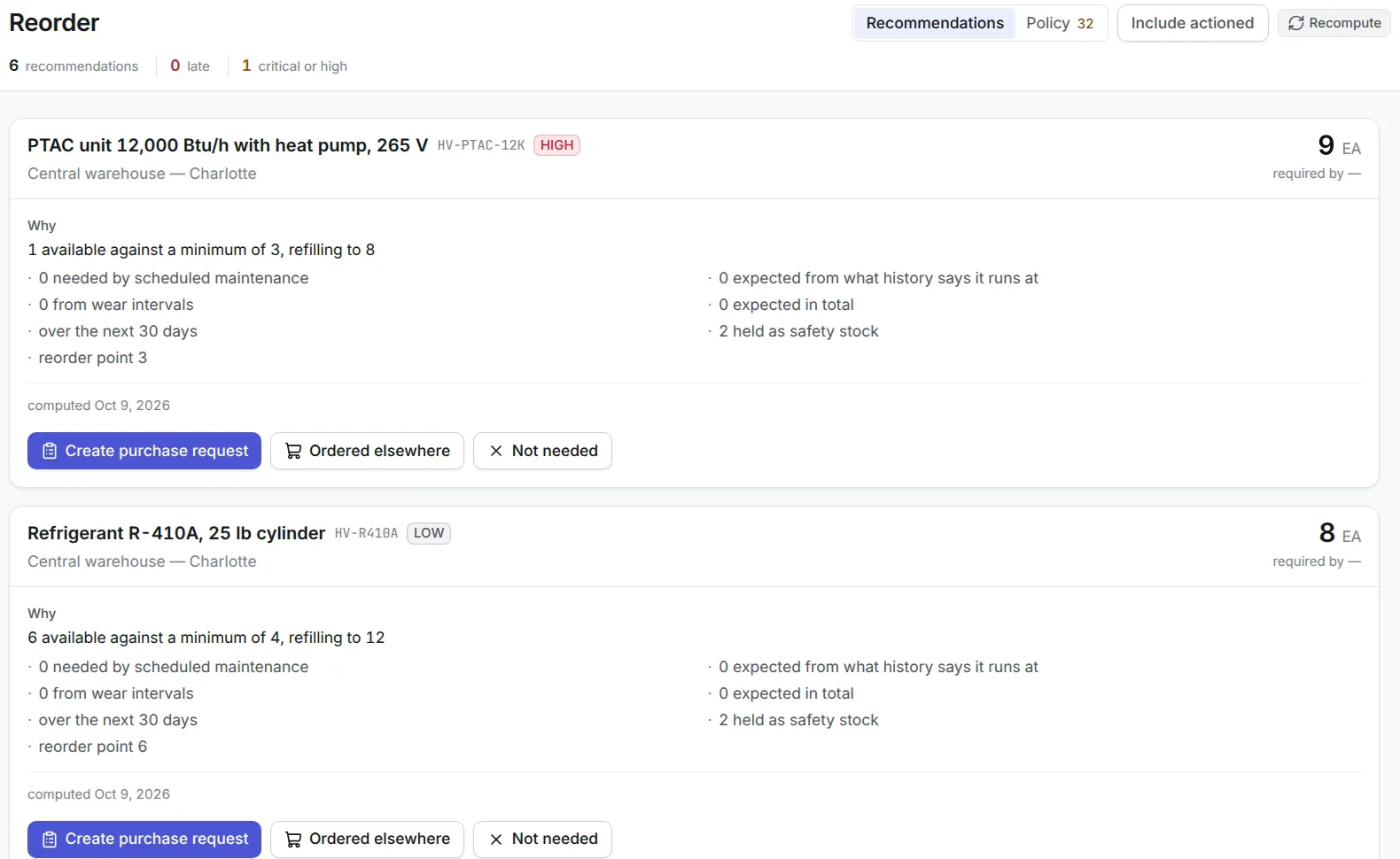
Automate Reordering
Configure minimum stock levels to trigger automatic replenishment before inventory runs out.
Train Employees
Ensure warehouse, procurement, and inventory teams understand standardized inventory processes.
Why Businesses Choose Asset Infinity Inventory Management Software
Asset Infinity offers a powerful cloud based inventory management solution designed to simplify inventory operations for organizations of all sizes.
Key capabilities include:
- Real time inventory tracking
- Barcode and QR code support
- Mobile inventory management
- Multi location inventory visibility
- Automated stock alerts
- Purchase and vendor management
- Inventory auditing
- Custom reports and dashboards
- User based access control
- Seamless system integrations
With Asset Infinity, businesses can reduce inventory costs, improve operational efficiency, and make informed inventory decisions through real time data.
Conclusion
Managing inventory manually is no longer practical in today’s fast paced business environment. As organizations grow, inventory becomes more complex, making automation essential for maintaining accuracy, reducing costs, and improving customer satisfaction.
The right inventory management software provides complete visibility into inventory operations, streamlines procurement, enhances warehouse efficiency, and supports better business decisions through real time insights.
Whether you’re a small business looking to organize inventory or a large enterprise managing multiple warehouses, investing in a reliable inventory management solution like Asset Infinity can help you achieve greater operational control and long term business growth.
Ready to simplify your inventory operations? Schedule a free demo with Asset Infinity and discover how intelligent inventory management software can transform the way your business tracks, manages, and optimizes inventory.
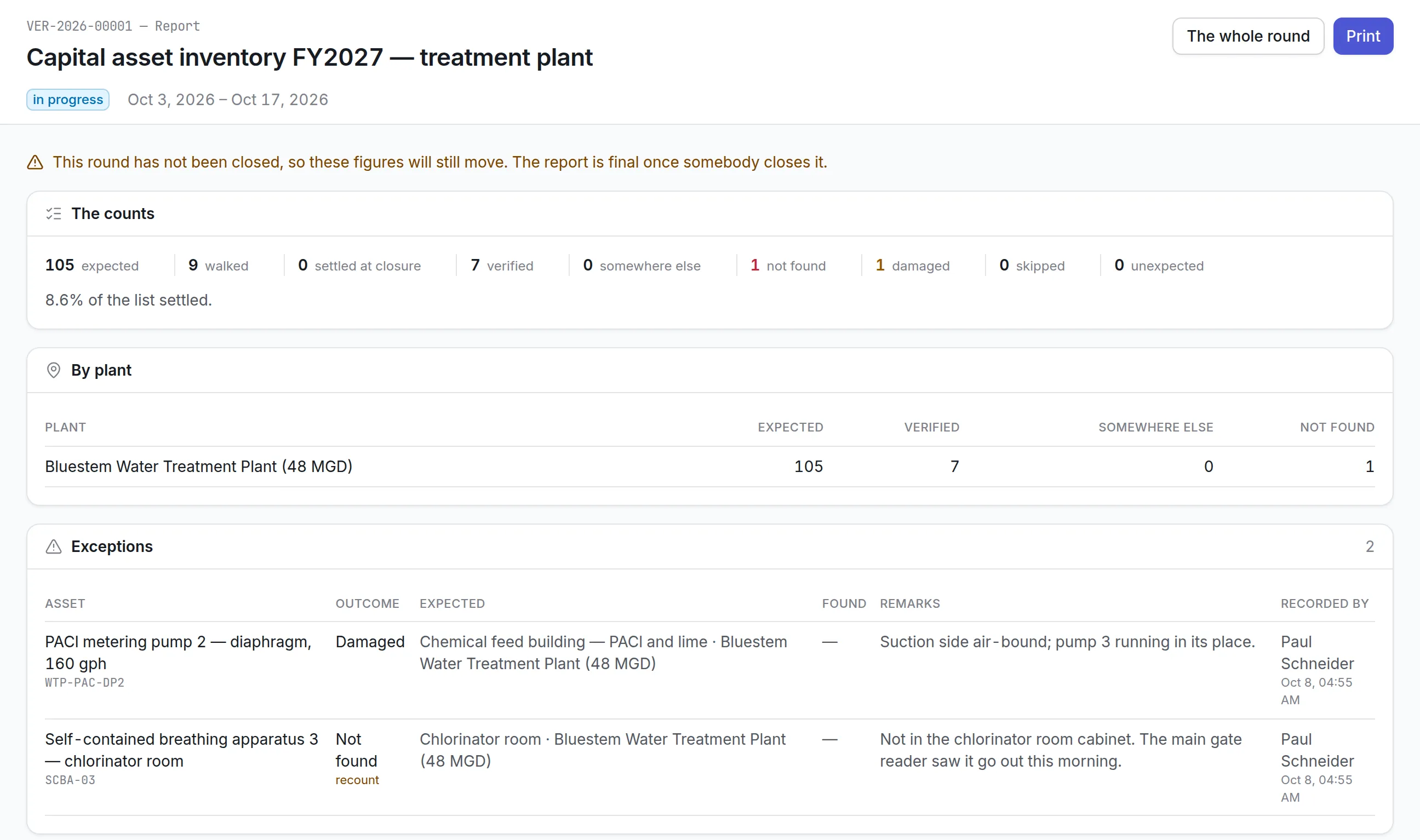
Frequently Asked Questions
1. What is inventory management software?
Inventory management software is a digital solution that helps businesses track, manage, and control inventory in real time. It automates stock updates, purchasing, inventory audits, reporting, and warehouse operations while improving inventory accuracy.
2. What are the benefits of inventory management software?
Some of the biggest benefits include improved inventory accuracy, reduced stockouts, lower inventory costs, faster inventory operations, better forecasting, real time inventory visibility, and enhanced customer satisfaction.
3. Who should use inventory management software?
Businesses across manufacturing, retail, healthcare, logistics, construction, education, hospitality, utilities, government, and distribution can benefit from inventory management software.
4. What features should I look for in inventory management software?
Look for features such as real time inventory tracking, barcode and QR code support, purchase order management, inventory alerts, reporting and analytics, mobile accessibility, inventory auditing, and integration with ERP or accounting systems.
5. Why should businesses choose cloud based inventory management software?
Cloud based inventory management software offers remote accessibility, automatic updates, lower infrastructure costs, improved scalability, enhanced collaboration, and real time inventory visibility across multiple locations.