

Work Order Management, From Request to Sign-Off
Everything between somebody noticing a problem and a closed, costed, signed-off job. This walkthrough covers work management in Asset Infinity: requests, work orders, the dispatch board, the people who do the work, the service levels they work to, and permits for the jobs that can hurt someone. It’s shown on a demo manufacturer with plants in Columbus and Greenville.
What you’ll see:
- Problem reports from the web, mobile app, QR codes, email and Telegram, with voice and photo fill
- Triage: approve, reject, merge duplicates, or convert a request straight into a work order
- Work order views for my work, unassigned, overdue, SLA breached and critical
- SLA clocks, automatic escalation, and warranty cover checked against the contract
- Readiness checks for tools, people and parts before anyone is sent out
- Checklists, parts, labor and costs that add themselves up, then supervisor sign-off and a full audit trail
- A dispatch board that checks rosters, travel radius, certifications and workload before it assigns
- Technicians, certifications that are flagged before they lapse, and a skills matrix that shows single points of failure
- Priorities, SLA targets, the escalation ladder and work order types
- Permits to work, with isolations, lock numbers, precautions and crew
Asset Infinity is one platform for your assets, the maintenance that keeps them running, the stores and suppliers behind them, and the IT devices on your network.
Book a demo or start your 14-day free trial at https://www.assetinfinity.com, email sales@assetinfinity.com, or call +1-855-823-2600.
Transcript
Introduction
This is the Work module in Asset Infinity: everything between somebody noticing a problem and a closed, costed, signed-off job. Requests, work orders, the dispatch board, the people who do the work, the service levels they work to, and permits for the jobs that can hurt someone. We'll walk through it on Northwind, a manufacturer with plants in Columbus and Greenville. Work sits at the top of the main menu: Requests, Work Orders, Dispatch and Permits, with Technicians and Skills under Workforce. And from any screen, the New button raises a request or a work order in one step.
Part 1: Requests
Anyone can report a problem. Say what's wrong, what you saw, heard or smelled, which asset it is, if you know, and how bad it is. You can even describe it out loud, or take a photo and let the form fill itself in. Sending it doesn't create work yet. A planner triages it first. Requests arrive however people already work: the web portal, the mobile app, a QR code on the machine, email, or Telegram. Sensor alerts and rules raise their own. Each category suggests a priority, and the one question about urgency maps straight onto your priority ladder. The inbox puts the most severe and the oldest first. Open a request to triage it. This one came in by email: a roller door on bay three, catching halfway. Classify the problem, then approve it, reject it with a reason, or mark it as a duplicate. Or convert it straight into a work order, and give it to a technician, a crew or a supplier. The report stays exactly as it was reported, linked to the job it became.
Part 2: Work orders
The work order list opens on the views that matter: open work, my work, unassigned, due today, overdue, SLA breached and critical. A job that has broken its SLA turns red, and an overdue one turns amber. Filter on anything, choose your columns, save the view, or export it. Raising a job by hand asks what's wrong, where it is and which asset, and how urgent it is, because the priority starts the response and resolution clocks. It asks what could hurt you, too: whether the job needs a permit, and the safety instructions the technician must read first. Inside a work order, the whole job is in one place. This breakdown on cooling pump P-102 came from a QR scan. It's critical, and three days past its SLA, so it has been escalated, and someone has to say they have it. The pump is under warranty: the contract covers it in full, and requires the manufacturer's own engineer, so a repair in-house would put that warranty at risk. Readiness checks whether a job can really start. This bearing replacement needs a torque wrench, two fitters with only one assigned, and two bearings, which are in stock. Two things are blocking, so nobody is sent to a job that will stall halfway. Below it, what the team already knows about this asset and this failure. Here's a job that went all the way. Four mandatory checklist steps, each signed by the technician who did it, at the time they did it. The bearings issued from the store, with the substitute brand recorded. Labour booked against the estimate. And costs that add themselves up from the job's own lines, never typed in. Closing a job asks what went wrong, with a failure code, so reliability has something to work with. A supervisor reviews it, rates the quality, and signs it off. And the audit trail keeps every change, through open, assigned, accepted, in progress, completed and closed.
Part 3: Dispatch and people
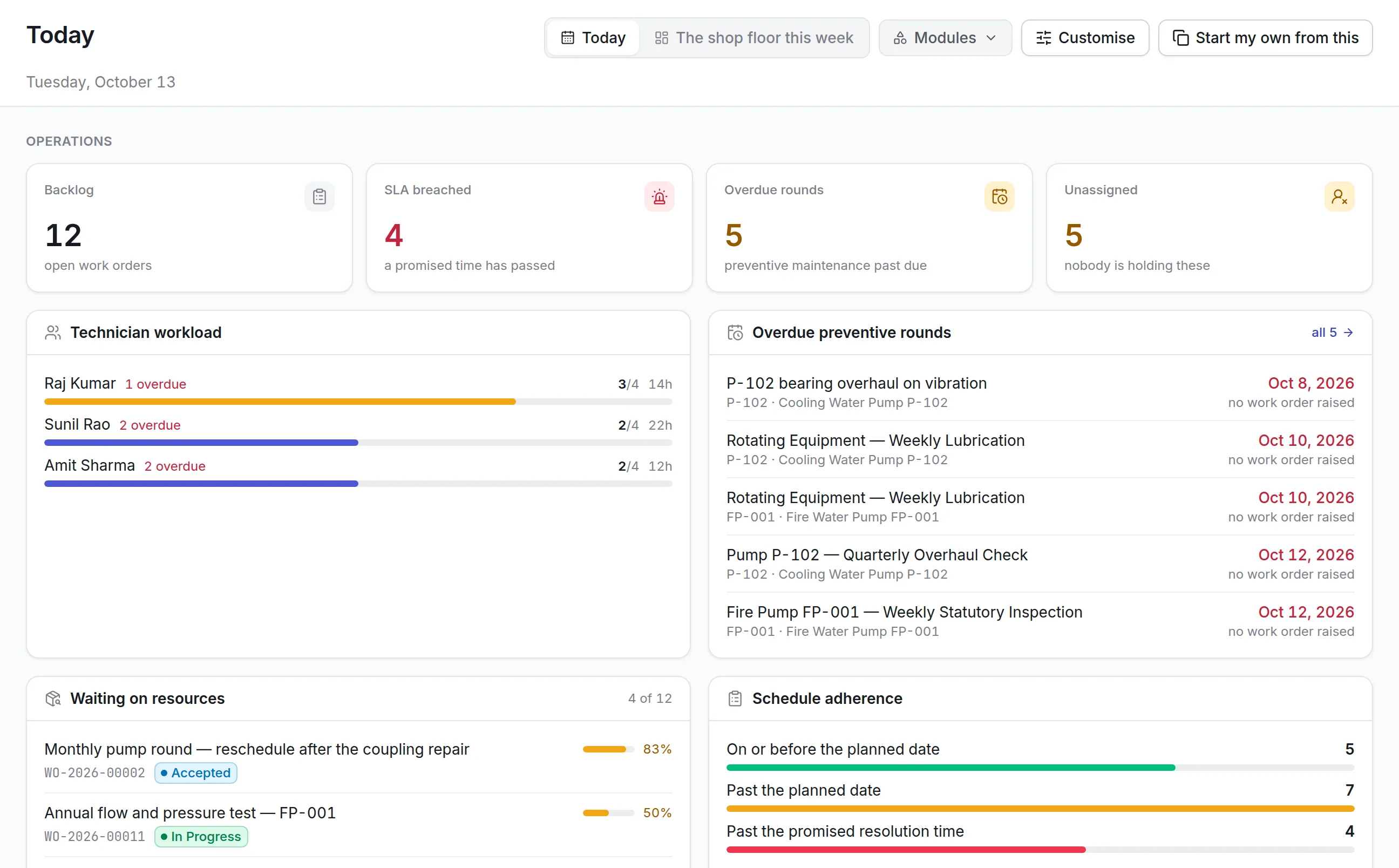
The dispatch board lays every open job out by stage: unassigned, assigned, at the asset, waiting, and completed this week. Pick a job up, and the board asks who can take it. Choose someone, and it checks before it commits: their roster, their travel radius, certifications, parts, tools and workload. Sunil isn't rostered, and Greenville is five hundred and seventy kilometers outside his radius. So cancel, and choose somebody else. Behind the board are your people. Each technician carries a team, a base, skills with levels, certifications, availability, open work and performance. Raj Kumar's electrical certificate runs out in twenty days, and it's flagged now, before it lapses. Teams, contractors and supplier technicians sit alongside your own staff. The skills matrix shows cover at a glance, and its single points of failure. Nobody holds a valid welding certificate, so one day of leave stops that work. A faded level means a skill held without a valid certificate, and the dispatch board refuses that assignment.
Part 4: Service levels and safety
Service levels are set per priority: how fast somebody responds, and how fast it's fixed. Critical promises a response within an hour and a fix within four. Rules can fill the priority in automatically, targets can change the promise by site or kind of asset, and the clock is stamped the moment a job is raised. The escalation ladder decides how loudly a late job is announced as it keeps running late. And work order types decide how a job behaves: planned or emergency, whether closing it demands a failure code, or even a one-time code texted to the person who reported it. High-risk work runs under a permit to work: hot work, confined space, working at height, electrical isolation and more. The list shows what's live, what's running out, and anything that has expired without being handed back, like this hot work permit on the fire main. A permit names the work and the job it covers, when it's in force, who issued it and who accepted it. Isolations list every valve and starter locked off, with its lock number. Precautions record the gas test and the fire watch, and the crew includes the contractor's welder. A job that needs a permit can't start without a live one. That's the Work module in Asset Infinity: from the first report to a signed-off job, with the right person, the right parts and the right permit. Schedule a demo, or start your free trial today.
See it with your own assets
A demo run on an example from your industry. Or start the trial and look around on your own.