

The client
The client is a large educational institution headquartered in Dubai, with several campus facilities and a central support operation serving its academic departments.
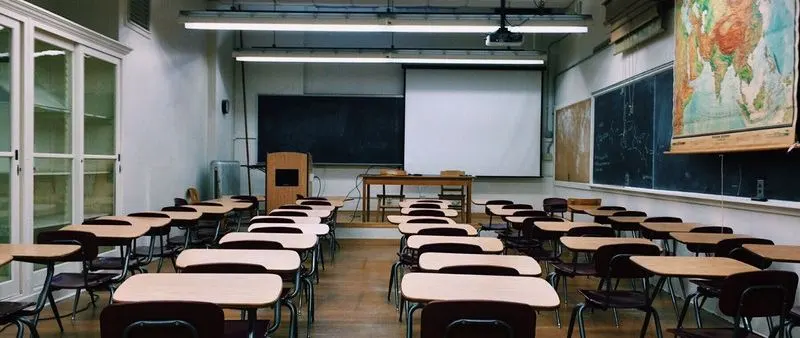
Teaching runs to a timetable. A projector that will not connect, a lab fume cupboard out of action or a lecture hall too hot to sit in can cost a class, and the next class is due in the same room an hour later.
The challenge
Faculty reported problems by email, by phone or by stopping someone in the corridor. Requests reached the wrong team, and nobody could see which faults in teaching rooms were still open.
- IT, facilities and lab services each kept separate lists.
- A fault in a teaching room got no more attention than one in a store cupboard.
- Faculty chased support staff for updates between classes.
- Department heads had no view of how long issues took to close.
What they set up in Asset Infinity
The institution made Asset Infinity its single route for campus faults, with every classroom, lab and lecture hall set up as a location carrying its own QR label.
A QR label on every room
Faculty and students scan the label by the door to report a fault, so the request arrives already tied to the right building and room. (Work)
Routed to IT, facilities or labs
The type of fault decides the team: audio-visual and network issues to IT, air conditioning and furniture to facilities, lab equipment to lab services. (Work)
Teaching rooms first
Rooms in use for teaching carry a tighter SLA. Faults that wait too long are escalated to the team lead. (Work)
Self-help articles
Common fixes, such as connecting a laptop to a lecture-hall projector, are written up in the knowledge base so faculty can try them first. (Work)
How it works day to day
When something stops working in a teaching space, this is what happens.
- Lecturer: tries the quick fix. For a common problem, the lecturer opens the knowledge base article for that room’s equipment and tries it before calling for help.
- Lecturer: scans the room label. If that does not work, the lecturer scans the QR label by the door, picks the fault type and adds a photo.
- System: sends it to the right team. The fault type routes the request to IT, facilities or lab services, and the room’s use sets the SLA.
- Support technician: accepts and attends. The technician on duty for that campus accepts the job on the mobile app and goes to the room.
- Support technician: closes it with a note. Once fixed, the technician records what was wrong and closes the work order, and the lecturer sees it resolved.
- Team lead: handles escalations. Faults close to breaching their SLA reach the team lead, who reassigns or sends a second technician.
- Head of campus services: reviews by department. Reports show resolution time by team and department and the rooms with the most faults.
Before and after
| Before | With Asset Infinity | |
|---|---|---|
| Reporting | Email, phone, corridor conversations | Scan the room label, choose the fault type |
| Routing | Often to the wrong team | Routed by fault type |
| Priority | All faults treated the same | Teaching rooms on a tighter SLA |
| Simple problems | Always a call-out | Self-help articles first |
| Updates | Faculty chased support | Status visible on the request |
| Oversight | No measure of resolution time | Resolution time by team and department |
How it rolled out
- Rooms labeled. Every teaching space was loaded as a location and labeled, and legacy support records were moved across.
- Routing by department. Fault categories, routing rules and department-wise workflows were configured for IT, facilities and lab services.
- Support teams trained. Support and departmental staff had hands-on training, then a support plan with regular reviews.
The results
- 28% faster issue resolution
- One view of every open fault across campus facilities
- Faults reach the right team the first time
- Fewer follow-up emails and calls from faculty
- Overdue faults escalated before the next class in the room
- Fewer lost teaching hours through faster, more organized fixes
Why it worked
The room identifies itself
Scanning the label removes the need to describe where the problem is, which saves time on large campuses.
Teaching gets priority
A tighter SLA on rooms used for classes puts effort where a delay costs the most.
Some faults never need a visit
Knowledge base articles let faculty solve the simplest problems themselves, freeing technicians for real faults.
Looking ahead
With a label on every room and one route for every fault, the institution’s support teams spend their time fixing problems rather than finding out where they are, and faculty can see when to expect a fix.
The fault history now kept per room and building shows which spaces and which equipment cause the most disruption, guiding the next round of upgrades.