


The client
The client is a large e-commerce company with operations across the country.
Its teams handle a steady flow of tasks tied to order processing, inventory, quality checks and returns. Each depends on the right person picking up the work quickly and on managers seeing where it stands.
The challenge
Work orders were created, assigned and tracked by hand. That caused bottlenecks, mistakes and delays, and managers had no current view of what was done and what was stuck.
- Tasks across order processing, inventory, quality checks and returns were hard to coordinate.
- Manual creation and assignment of work orders took time and caused errors.
- No current view of work order status.
- Teams switched between tools to share updates.
What they set up in Asset Infinity
The company moved work order management into Asset Infinity’s Work feature, configured for its own e-commerce processes.
Work orders in one queue
Tasks are created as work orders with a type, location and priority, replacing manual lists and messages. (Work)
Assignment by skill and location
Each work order goes to a team member with the right skills at the right site, who is notified on the mobile app. (Work)
Messages on the job
Teams share updates in messages on the work order itself, so the conversation stays with the task. (Work)
KPI dashboards
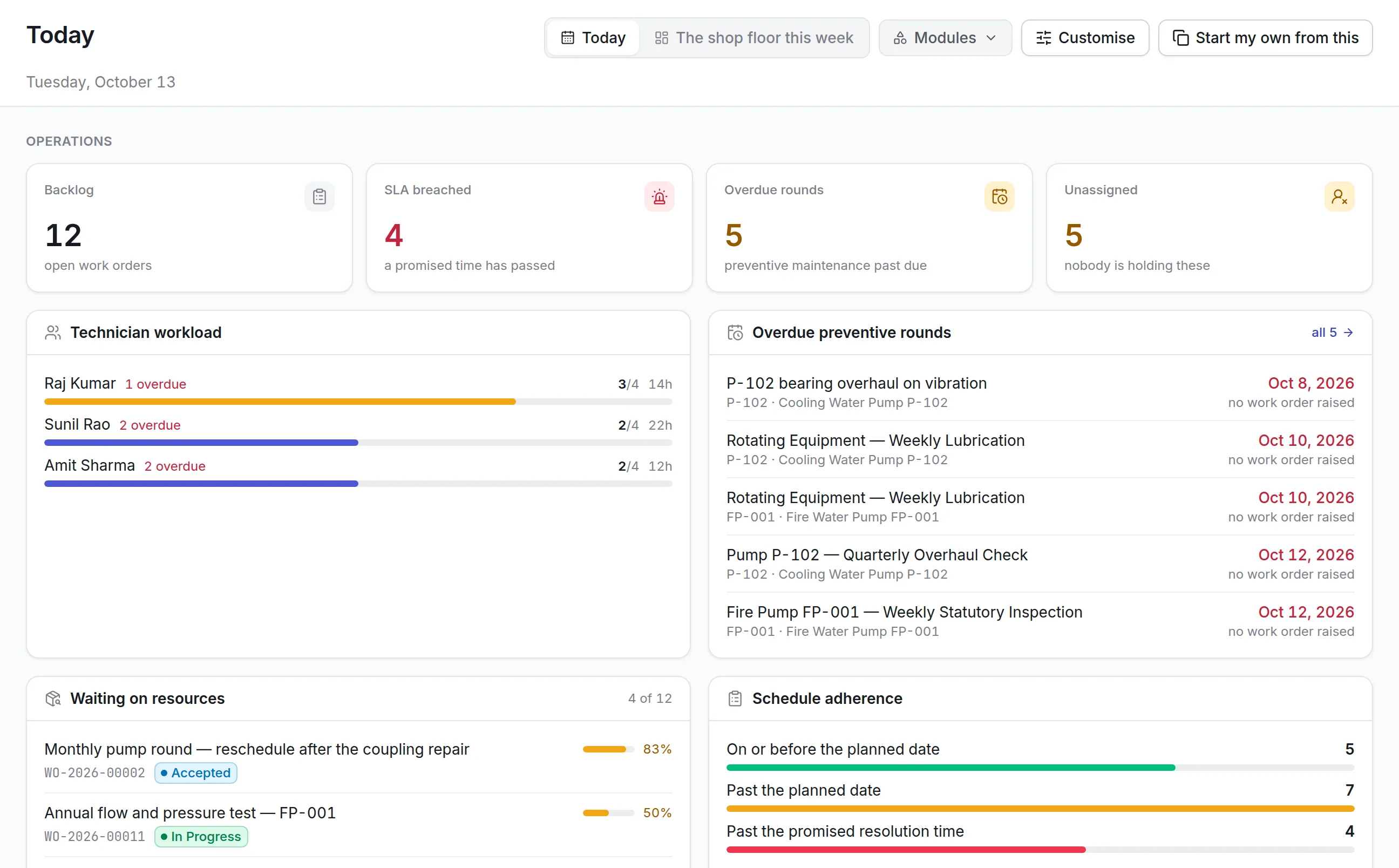
Dashboards track completion time, team efficiency and open work, so managers spot bottlenecks and act early. (Insight)
How it works day to day
Here is how a task moves through the operation now.
- Team lead: creates the work order. A task such as a quality check or a returns issue is raised as a work order with its location and priority.
- Dispatcher: assigns it. The dispatcher assigns the work order to a team member with the right skills at that site.
- System: notifies the assignee. The team member is notified on the mobile app with everything needed to start.
- Team member: updates progress. Status, notes and photos are added as the work moves, and questions are answered in messages on the work order.
- System: flags what is stuck. Work that waits too long triggers reminders and escalation, so bottlenecks surface early.
- Operations manager: reviews the KPIs. Dashboards show completion time, team efficiency and open work by site and team.
Before and after
| Before | With Asset Infinity | |
|---|---|---|
| Creating tasks | Manual, with errors | Work orders with type, location and priority |
| Assigning work | Manual allocation | By skill and site, 55% less effort |
| Status | Not visible | Tracked on every work order |
| Team communication | Spread across tools | Messages on the work order |
| Bottlenecks | Found late | Flagged by reminders and dashboards |
| Fulfillment accuracy | Hurt by delays and mistakes | 15% better |
How it rolled out
- Workflows assessed. The client and the Asset Infinity team reviewed work order processes specific to e-commerce.
- Configured to their process. Work order types, team skills, locations and KPIs were set up to match the client’s operations.
- Teams moved over. Managers and team members began creating, assigning and closing work in one system.
The results
- 55% reduction in manual task allocation effort
- 30% increase in visibility into work order status
- 25% increase in team productivity
- 20% increase in overall operational efficiency
- 15% improvement in order fulfillment accuracy
- Managers find and clear bottlenecks earlier.
- Higher customer satisfaction from more accurate fulfillment.
Why it worked
One queue for all work
Order processing, quality and returns tasks share one system, so managers see the whole workload at once.
Updates where the work is
Messages and status live on the work order, which ended the switching between tools.
Measured from the start
Completion times are recorded for every task, so improvements can be seen and repeated.
Looking ahead
With every task in one tracked queue, the e-commerce company assigns work faster, sees where it stands and fixes bottlenecks before they delay customer orders.
Completion times and team workloads are now measured, which gives managers the data to keep improving how work is shared across the operation.