


In this article
- What Is CMMS Software?
- Main Purpose of a CMMS
- Common CMMS Users
- Core CMMS Features
- What Is EAM Software?
- Main Purpose of EAM Software
- Common EAM Users
- Core EAM Features
- What Is Plant Maintenance Software?
- Main Purpose of Plant Maintenance Software
- Common Plant Maintenance Software Users
- CMMS vs EAM vs Plant Maintenance Software: The Main Difference
- Key Differences Between CMMS, EAM, and Plant Maintenance Software
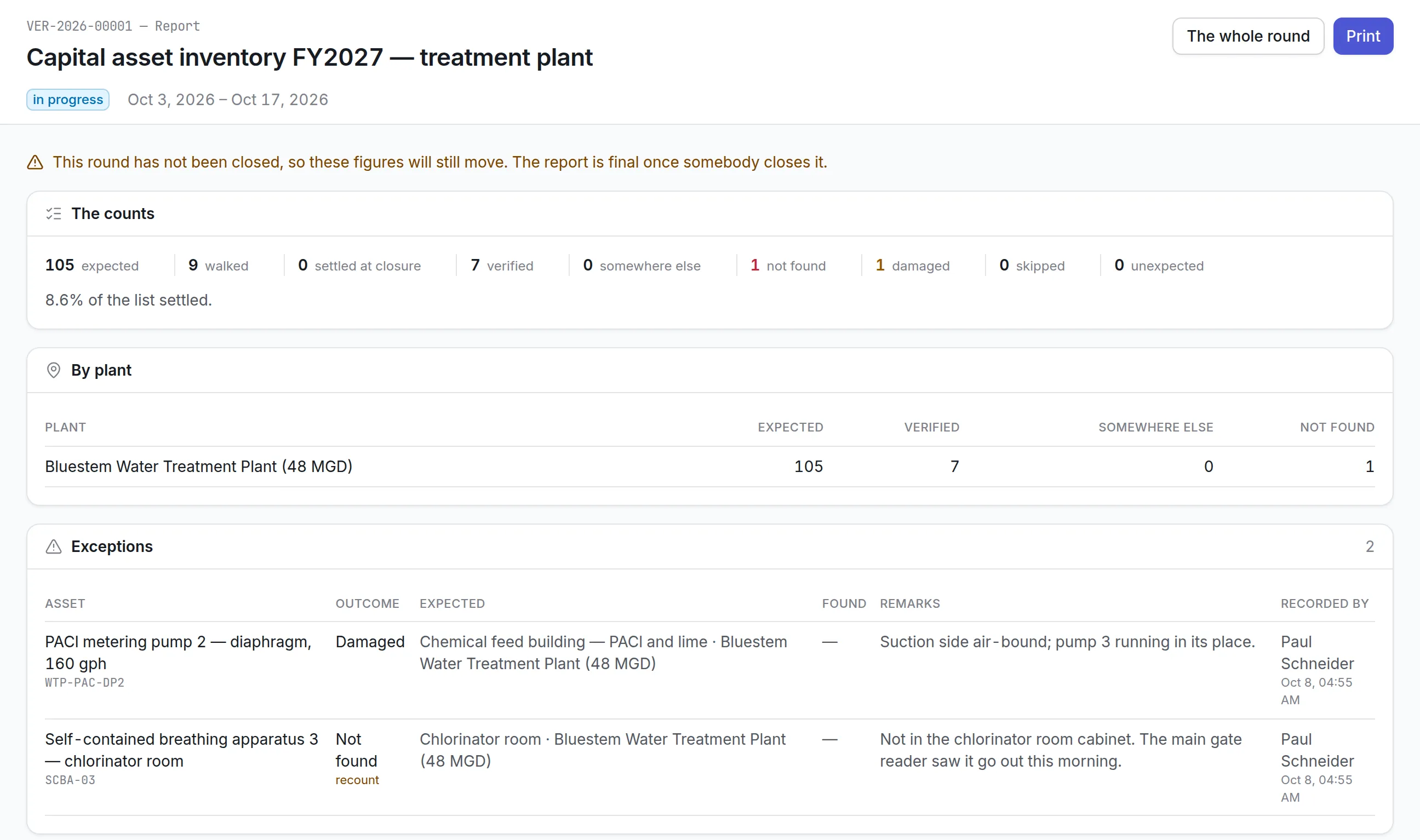
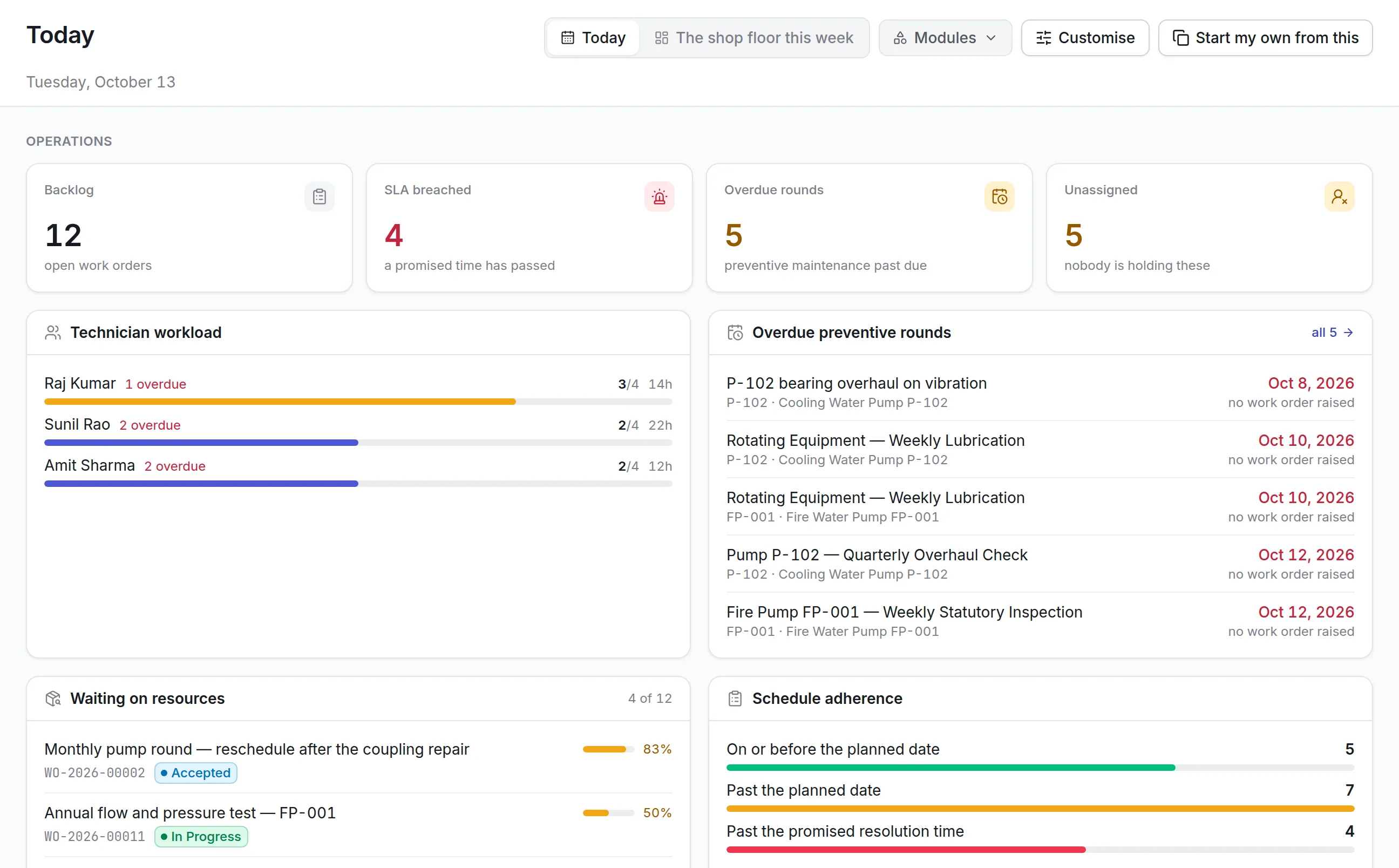
- 1. Primary Focus
- 2. Operational Scope
- 3. Asset Lifecycle Coverage
- 4. Work Order Management
- 5. Preventive Maintenance
- 6. Asset Hierarchy
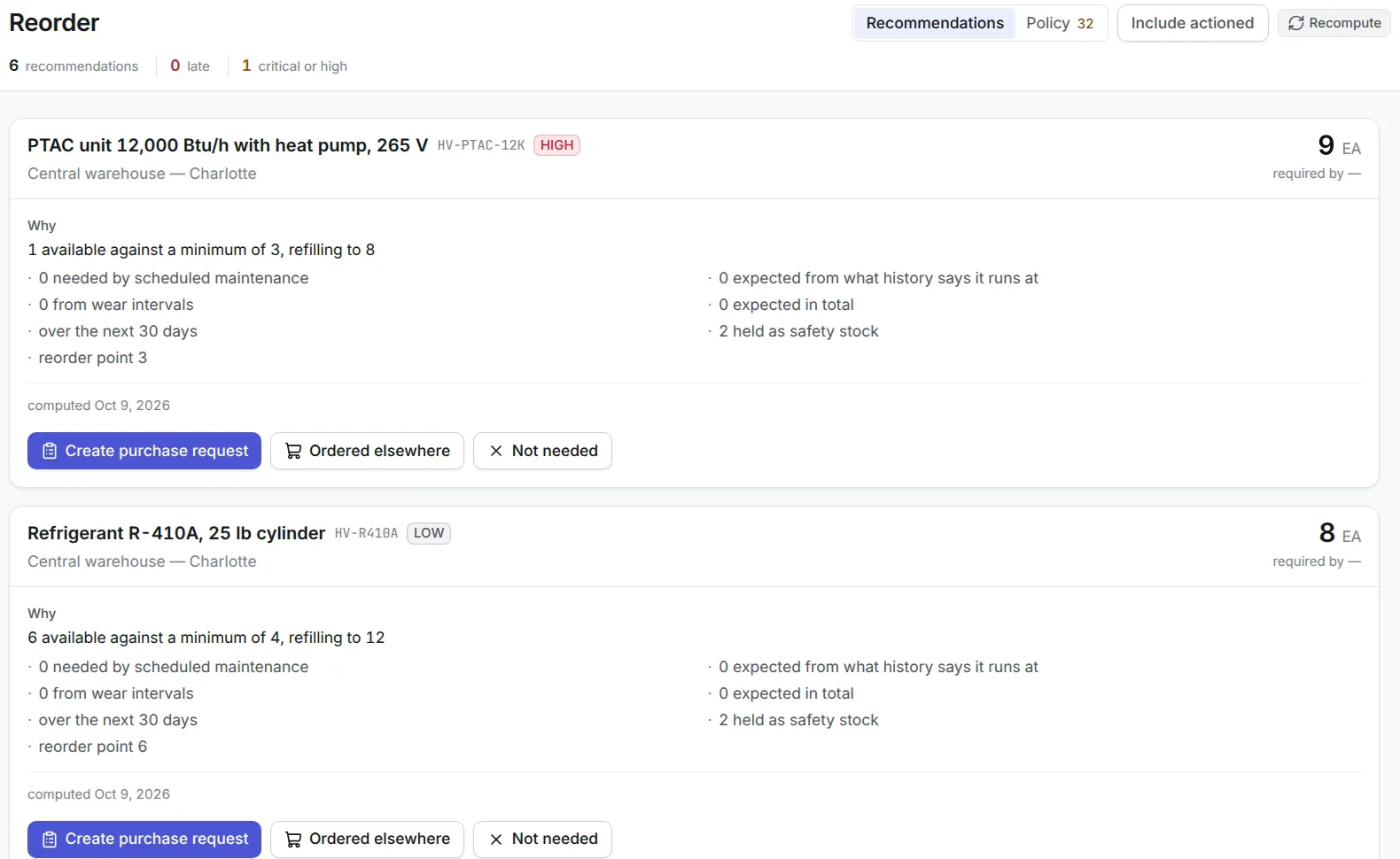
- 7. Inventory and Spare Parts
- 8. Procurement
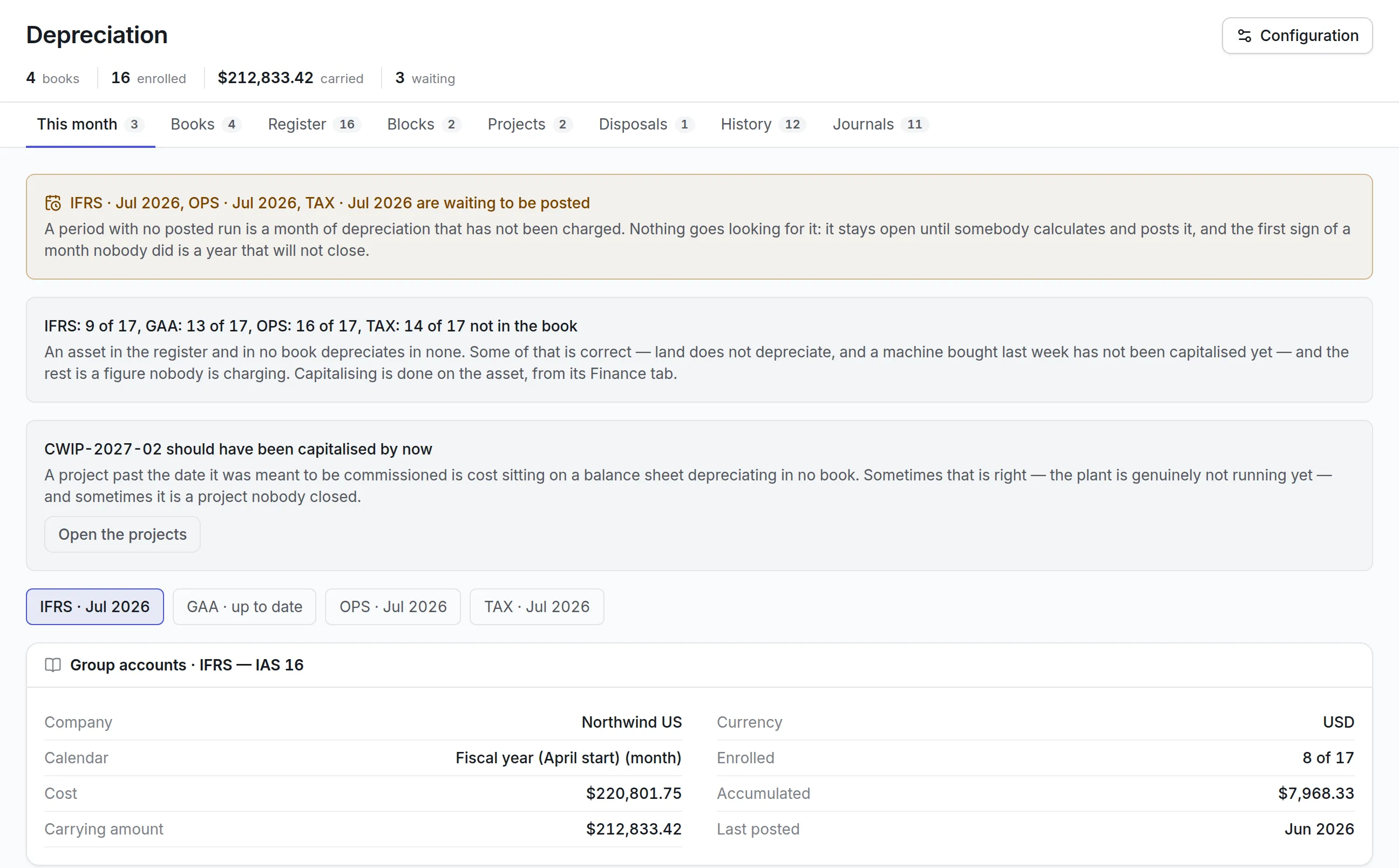
- 9. Financial Management
- 10. Budgeting
- 11. Contract Management
- 12. Compliance
- 13. Capital Planning
- 14. Reporting
- CMMS vs EAM: When Are They Similar?
- Plant Maintenance Software vs CMMS
- Plant Maintenance Software vs EAM
- Benefits of CMMS
- Benefits of EAM
- Benefits of Plant Maintenance Software
- Limitations of a Basic CMMS
- Limitations of EAM Software
- Limitations of Plant Maintenance Software
- How to Choose Between CMMS, EAM, and Plant Maintenance Software
- Choose a CMMS When
- Choose EAM Software When
- Choose Plant Maintenance Software When
- Questions to Ask Before Selecting Software
- What Assets Will Be Managed?
- Which Departments Will Use the System?
- Is Full Lifecycle Management Required?
- How Complex Are Plant Operations?
- Which Integrations Are Required?
- Is Mobile and Offline Access Needed?
- What Reports Are Needed?
- How Many Sites Will Be Managed?
- What Is the Implementation Capacity?
- Essential Features to Compare
- Implementation Considerations
- Clean the Asset Data
- Build the Asset Hierarchy
- Standardize Maintenance Processes
- Review Preventive Maintenance Plans
- Configure Roles and Permissions
- Train All User Groups
- Begin with a Pilot
- Measure Performance
- Improve Continuously
- Common Software Selection Mistakes
- Selecting Based Only on Product Category
- Choosing the Largest Feature List
- Ignoring User Experience
- Ignoring Mobile Requirements
- Failing to Consider Future Growth
- Ignoring Integration Needs
- Underestimating Data Migration
- Focusing Only on Initial Cost
- Failing to Involve Maintenance Users
- Skipping the Pilot
- KPIs to Evaluate Software Success
- Why Choose Asset Infinity?
- Conclusion
- Frequently Asked Questions
Maintenance teams no longer need to depend on paper work orders, spreadsheets, manual calendars, or disconnected asset records. Modern maintenance software can automate preventive maintenance, organize work orders, track equipment history, manage spare parts, monitor costs, and improve asset reliability.
The challenge is selecting the right type of system.
Organizations frequently encounter three options:
- Computerized Maintenance Management System
- Enterprise Asset Management software
- Plant maintenance software
These terms are sometimes used interchangeably, but they do not always describe the same scope of functionality.
A CMMS generally concentrates on maintenance execution. It helps teams schedule work, create work orders, assign technicians, track spare parts, and maintain equipment history.
EAM software provides broader asset lifecycle management. It connects maintenance with procurement, contracts, finance, asset tracking, depreciation-related records, risk, compliance, capital planning, and disposal.
Plant maintenance software focuses on maintaining production plants, industrial equipment, utilities, and interconnected operational systems. Depending on the product, it may offer CMMS-level maintenance functions or broader EAM capabilities designed specifically for manufacturing and plant environments.
Understanding CMMS vs EAM vs plant maintenance software helps organizations avoid purchasing a system that is either too limited for their needs or unnecessarily complex for their operations.
This guide explains the meaning, functions, features, benefits, limitations, workflows, and ideal use cases of all three systems. It also provides a practical framework for selecting the right maintenance and asset management platform.
What Is CMMS Software?
CMMS stands for Computerized Maintenance Management System.
A CMMS is a software platform designed to organize, automate, monitor, and improve maintenance operations.
It normally acts as a centralized system for:
- Work order management
- Preventive maintenance
- Corrective maintenance
- Breakdown reporting
- Asset maintenance records
- Technician assignments
- Inspection checklists
- Maintenance calendars
- Spare parts inventory
- Downtime tracking
- Maintenance costs
- Reports and dashboards
The primary objective of a CMMS is to help maintenance teams complete the right work on the right asset at the right time.
Main Purpose of a CMMS
A CMMS helps an organization move from reactive maintenance toward planned and preventive maintenance.
Without a CMMS, teams may struggle with:
- Missed maintenance schedules
- Unclear work order ownership
- Incomplete equipment histories
- Repeated breakdowns
- Missing spare parts
- Poor technician coordination
- Limited maintenance reporting
- Uncontrolled maintenance costs
A CMMS brings these activities into one structured workflow.
Common CMMS Users
CMMS users may include:
- Maintenance managers
- Maintenance planners
- Technicians
- Engineers
- Facility managers
- Supervisors
- Inventory coordinators
- Operations managers
- Contractors
The software is normally centered on the needs of maintenance and reliability teams.
Core CMMS Features
A standard CMMS may provide the following capabilities.
Work Order Management
Users can create, prioritize, assign, update, and close maintenance work orders.
Preventive Maintenance Scheduling
Maintenance can be scheduled using dates, operating hours, meter readings, production cycles, or usage.
Asset Maintenance History
Every inspection, fault, repair, part replacement, and maintenance expense remains connected to the asset.
Technician Management
Managers can assign work based on skills, workload, availability, shift, and location.
Spare Parts Management
Maintenance teams can monitor part quantities, reorder levels, warehouse locations, suppliers, and consumption.
Mobile Maintenance
Technicians can receive work orders, scan equipment, upload photographs, complete checklists, and record labor from mobile devices.
Maintenance Reporting
Managers can monitor preventive maintenance compliance, downtime, maintenance backlog, equipment failures, and technician productivity.
What Is EAM Software?
EAM stands for Enterprise Asset Management.
EAM software manages physical assets throughout their complete operational and financial lifecycle.
It includes maintenance management but extends beyond maintenance execution.
An EAM platform may support:
- Asset planning
- Procurement
- Purchase requisitions
- Purchase orders
- Asset acquisition
- Asset registration
- Maintenance
- Inventory
- Contracts
- Warranties
- Compliance
- Risk
- Costs
- Asset transfers
- Capital planning
- Asset replacement
- Disposal
The primary objective of EAM is to optimize asset performance, cost, risk, and value throughout the lifecycle.
Main Purpose of EAM Software
EAM software helps organizations understand not only how an asset is maintained but also:
- Why it was purchased
- What it cost
- Where it is located
- Who is responsible for it
- How frequently it is used
- How much it costs to operate
- Which contracts and warranties cover it
- Whether it remains compliant
- When it should be replaced
- How it should be disposed of
EAM creates a broader connection between maintenance, procurement, finance, inventory, compliance, and operations.
Common EAM Users
EAM software may be used by:
- Maintenance teams
- Asset managers
- Procurement teams
- Finance teams
- Inventory managers
- Facility managers
- Compliance teams
- Department leaders
- Operations teams
- Senior management
Its user base is generally wider than that of a maintenance-focused CMMS.
Core EAM Features
An EAM system may include all major CMMS functions along with broader lifecycle capabilities.
Enterprise Asset Register
The platform maintains asset information across departments, locations, subsidiaries, and business units.
Asset Lifecycle Management
Assets can be managed from requirement planning and acquisition through operation, maintenance, transfer, replacement, and disposal.
Procurement Integration
Organizations can connect assets with:
- Purchase requisitions
- Purchase orders
- Suppliers
- Goods receipts
- Invoices
- Procurement costs
Contract and Warranty Management
Teams can track warranties, service agreements, maintenance contracts, insurance, and renewal dates.
Financial and Cost Information
EAM platforms may track acquisition cost, maintenance cost, downtime cost, replacement value, and lifecycle expenditure.
Compliance and Risk Management
Organizations can manage inspections, certifications, permits, audit records, and asset criticality.
Capital Planning
Asset condition, maintenance history, cost, utilization, and failure data can support replacement and investment planning.
Disposal Management
The system can control asset retirement, sale, scrap, recycling, donation, transfer, or destruction.
What Is Plant Maintenance Software?
Plant maintenance software is designed to manage the equipment, systems, facilities, and maintenance operations within manufacturing plants and industrial environments.
It may be used to maintain:
- Production machines
- Assembly lines
- Conveyors
- Motors
- Pumps
- Compressors
- Boilers
- Chillers
- Furnaces
- Packaging equipment
- Electrical systems
- Instrumentation
- Utilities
- Safety equipment
- Warehouses
- Facility infrastructure
Its primary objective is to keep plant equipment available, safe, efficient, and capable of meeting production requirements.
Main Purpose of Plant Maintenance Software
Plant maintenance software focuses on the relationship between equipment reliability and production performance.
It helps industrial organizations:
- Reduce production downtime
- Schedule planned shutdowns
- Coordinate maintenance with production
- Track equipment hierarchies
- Manage breakdowns
- Improve preventive maintenance
- Monitor plant utilities
- Track maintenance budgets
- Analyze failure causes
- Control critical spare parts
- Improve equipment availability
Some plant maintenance systems operate as specialized CMMS platforms. Others provide EAM-level lifecycle capabilities for industrial environments.
Common Plant Maintenance Software Users
Users may include:
- Plant managers
- Maintenance managers
- Reliability engineers
- Production supervisors
- Maintenance planners
- Mechanical technicians
- Electrical technicians
- Instrumentation teams
- Safety teams
- Utility operators
- Warehouse coordinators
CMMS vs EAM vs Plant Maintenance Software: The Main Difference
The most important difference is scope.
A CMMS focuses mainly on maintenance processes and work execution.
An EAM system manages the complete lifecycle, financial performance, risk, and operational value of assets across the enterprise.
Plant maintenance software focuses on industrial equipment availability, reliability, and maintenance within production and plant environments.
The product labels alone may not reveal the exact capabilities. Some modern CMMS products provide broad asset lifecycle features, while some EAM platforms may require additional configuration to support detailed plant workflows.
Organizations should evaluate actual capabilities rather than relying only on software categories.
Key Differences Between CMMS, EAM, and Plant Maintenance Software
1. Primary Focus
CMMS
Focuses on maintenance planning, execution, and reporting.
EAM
Focuses on complete asset lifecycle management across the enterprise.
Plant Maintenance Software
Focuses on production assets, industrial systems, plant uptime, and maintenance coordination.
2. Operational Scope
CMMS
Usually supports maintenance teams, facilities, or operational departments.
EAM
Supports assets across the organization, including maintenance, finance, procurement, inventory, and compliance.
Plant Maintenance Software
Supports individual plants, production sites, industrial campuses, or multi-plant operations.
3. Asset Lifecycle Coverage
CMMS
Usually begins when an asset enters operation and requires maintenance.
EAM
May begin during asset planning and procurement and continue through disposal.
Plant Maintenance Software
Usually covers operation, inspection, maintenance, shutdown, overhaul, and industrial asset replacement.
4. Work Order Management
All three systems can provide work order management.
A CMMS generally makes work orders one of its central features.
An EAM connects work orders with lifecycle cost, procurement, contracts, and risk.
Plant maintenance software may add production-specific information such as shutdown windows, line availability, permit requirements, and equipment isolation.
5. Preventive Maintenance
All three systems may support:
- Calendar-based maintenance
- Meter-based maintenance
- Usage-based maintenance
- Recurring inspections
- Maintenance checklists
- Automatic work orders
Plant maintenance software may provide more detailed scheduling around production plans and plant shutdowns.
6. Asset Hierarchy
CMMS
May organize assets by location, category, or parent and child relationships.
EAM
Supports enterprise-wide asset structures across departments, regions, sites, and financial ownership.
Plant Maintenance Software
Often provides detailed functional-location and equipment hierarchies.
For example:
Plant
- Production Area
- Production Line
- Conveyor
- Motor
- Gearbox
- Sensor
- Conveyor
- Production Line
This structure helps industrial teams analyze system-level downtime and failure impact.
7. Inventory and Spare Parts
CMMS
Tracks maintenance spare parts, stock levels, reordering, and part usage.
EAM
May integrate spare parts with wider organizational inventory, procurement, warehouses, suppliers, and financial records.
Plant Maintenance Software
Focuses heavily on critical industrial spares, maintenance stores, repairable components, and parts required for shutdowns.
8. Procurement
CMMS
May create part requests or basic purchase requests.
EAM
Usually provides stronger support for purchase requisitions, purchase orders, vendors, contracts, receiving, and asset creation.
Plant Maintenance Software
May connect maintenance requirements with plant spare-parts procurement and contractor services.
9. Financial Management
CMMS
Usually tracks maintenance-related labor, parts, contractor, and work order costs.
EAM
Provides broader asset cost visibility, including acquisition, maintenance, operation, replacement, and disposal.
Plant Maintenance Software
Tracks plant maintenance spending, downtime costs, shutdown budgets, departmental costs, and equipment expenses.
10. Budgeting
CMMS
Supports maintenance budgets and cost reporting.
EAM
Supports lifecycle budgeting, capital planning, replacement forecasts, and enterprise asset investment.
Plant Maintenance Software
Supports plant maintenance budgets, shutdown budgets, spare parts planning, and production-related maintenance expenses.
11. Contract Management
CMMS
May track maintenance vendors and service agreements.
EAM
May manage maintenance contracts, leases, warranties, insurance, renewals, and supplier agreements.
Plant Maintenance Software
Often focuses on annual maintenance contracts, industrial service agreements, and shutdown contractors.
12. Compliance
CMMS
Records maintenance inspections, calibration, safety checks, and service documentation.
EAM
Connects compliance with assets, documents, certifications, risk, procurement, and lifecycle records.
Plant Maintenance Software
May provide detailed permit, inspection, calibration, safety, and plant audit workflows.
13. Capital Planning
CMMS
Maintenance history may support replacement recommendations.
EAM
Provides stronger capital planning through condition, cost, risk, depreciation-related data, and replacement forecasts.
Plant Maintenance Software
Supports equipment replacement, production capacity upgrades, overhauls, and plant improvement projects.
14. Reporting
CMMS Reports
Common reports include:
- Work order status
- Preventive maintenance compliance
- Maintenance backlog
- MTTR
- MTBF
- Downtime
- Maintenance costs
- Technician productivity
EAM Reports
EAM may add:
- Total cost of ownership
- Asset lifecycle cost
- Procurement spend
- Contract renewals
- Asset condition
- Replacement forecasts
- Capital plans
- Disposal reports
- Enterprise asset performance
Plant Maintenance Reports
Plant-focused reports may include:
- Production downtime
- Line availability
- Breakdown by equipment
- Shutdown performance
- Planned versus unplanned maintenance
- Critical spare consumption
- Plant maintenance budget
- Failure mode analysis
CMMS vs EAM: When Are They Similar?
Modern CMMS and EAM platforms increasingly overlap.
A powerful CMMS may now include:
- Procurement
- Inventory
- Contracts
- Asset transfers
- Cost tracking
- Disposal
- Mobile asset tracking
- Multi-location reporting
Similarly, an EAM platform normally includes work orders, preventive maintenance, inspections, and spare parts management.
The distinction is therefore based less on whether a feature exists and more on:
- How deeply it is supported
- How many departments use it
- Whether it covers the complete asset lifecycle
- Whether financial and capital planning are included
- Whether it can scale across the enterprise
Plant Maintenance Software vs CMMS
Plant maintenance software and CMMS can be very similar.
A general CMMS may be used in:
- Offices
- Hotels
- Schools
- Hospitals
- Commercial buildings
- Warehouses
- Manufacturing plants
Plant maintenance software is normally designed more specifically for industrial operations.
It may provide stronger support for:
- Production equipment hierarchies
- Planned shutdowns
- Line-level downtime
- Permit-to-work procedures
- Equipment isolation
- Industrial calibration
- Failure coding
- Maintenance budgeting
- Repairable spare parts
- Production coordination
- Utility systems
A manufacturing business may use a CMMS successfully, provided the platform supports these plant-specific requirements.
Plant Maintenance Software vs EAM
Plant maintenance software focuses primarily on operational equipment and production reliability.
EAM provides broader enterprise lifecycle management.
A large manufacturer may use plant maintenance functionality as part of its EAM platform. This allows the business to connect plant maintenance with:
- Asset procurement
- Supplier contracts
- Inventory
- Asset costs
- Depreciation-related records
- Compliance
- Capital planning
- Transfers
- Disposal
Organizations with multiple plants, warehouses, offices, laboratories, and fleets may benefit from this broader approach.
Benefits of CMMS
A CMMS may provide the following benefits:
- Faster work order processing
- Better preventive maintenance
- Lower equipment downtime
- Improved maintenance history
- Better technician productivity
- Reduced paperwork
- Better spare parts visibility
- Improved maintenance reporting
- Lower emergency repair costs
- Stronger inspection documentation
A CMMS may be suitable for organizations primarily focused on improving maintenance execution.
Benefits of EAM
EAM software may provide broader benefits, such as:
- Complete asset lifecycle visibility
- Better collaboration between departments
- Improved asset cost control
- Stronger procurement integration
- Centralized contract management
- Better asset utilization
- Improved compliance and risk management
- Smarter repair-versus-replace decisions
- Stronger capital planning
- Controlled asset disposal
- Enterprise-wide reporting
EAM may be suitable when assets need to be managed beyond maintenance.
Benefits of Plant Maintenance Software
Plant maintenance software helps industrial organizations:
- Improve plant uptime
- Reduce production interruptions
- Coordinate maintenance with production
- Manage equipment hierarchies
- Control shutdown maintenance
- Track industrial spare parts
- Improve equipment reliability
- Analyze plant failures
- Control maintenance budgets
- Standardize maintenance across plants
- Improve safety and compliance
Limitations of a Basic CMMS
A basic CMMS may not provide sufficient support for:
- Complete procurement workflows
- Asset acquisition planning
- Detailed contract management
- Financial asset accounting
- Capital planning
- Asset disposal
- Enterprise risk management
- Multi-department lifecycle control
Organizations should review whether integrations or additional modules are required.
Limitations of EAM Software
An EAM implementation may be more complex because it can involve multiple departments and data sources.
Potential challenges include:
- Longer implementation
- More data migration
- Greater process standardization
- More user training
- Complex integrations
- Higher governance requirements
- Wider change management
Organizations should not select an overly complex platform if they only need basic work order and preventive maintenance functionality.
Limitations of Plant Maintenance Software
A plant-focused product may be too specialized for organizations that also need to manage:
- Office assets
- IT equipment
- Leases
- Employee-assigned assets
- Procurement across departments
- Financial asset records
- Non-plant locations
- Enterprise-wide asset disposal
The organization should confirm that the platform can support its wider asset portfolio.
How to Choose Between CMMS, EAM, and Plant Maintenance Software
Choosing the right solution requires understanding operational needs rather than selecting software based only on its name.
Choose a CMMS When
A CMMS may be appropriate when the organization primarily needs to:
- Digitize work orders
- Automate preventive maintenance
- Manage technicians
- Track spare parts
- Record asset maintenance history
- Reduce downtime
- Improve maintenance reporting
- Replace spreadsheets and paperwork
It is often suitable for smaller maintenance teams or organizations beginning their maintenance digitization journey.
Choose EAM Software When
EAM may be the better option when the organization needs to:
- Manage assets from acquisition through disposal
- Connect maintenance with procurement
- Track contracts and warranties
- Manage multiple locations and departments
- Analyze total lifecycle costs
- Support capital planning
- Monitor asset condition and risk
- Manage transfers and custodians
- Create enterprise-wide asset reports
- Integrate financial and operational asset data
Choose Plant Maintenance Software When
Plant maintenance software may be most appropriate when the primary requirements include:
- Managing production equipment
- Reducing plant downtime
- Coordinating maintenance and production
- Managing industrial equipment hierarchies
- Planning shutdowns
- Tracking industrial spare parts
- Managing utility systems
- Analyzing machine failures
- Monitoring plant maintenance budgets
- Improving line and equipment availability
Questions to Ask Before Selecting Software
Organizations should evaluate potential systems by asking practical questions.
What Assets Will Be Managed?
Determine whether the system will cover:
- Production equipment
- Facilities
- IT assets
- Vehicles
- Medical equipment
- Tools
- Utilities
- Infrastructure
- Employee-assigned assets
Which Departments Will Use the System?
A maintenance-only team may need a CMMS.
A platform used by maintenance, procurement, finance, compliance, inventory, and operations may require EAM capabilities.
Is Full Lifecycle Management Required?
Determine whether the system must manage:
- Asset request
- Procurement
- Receiving
- Registration
- Operation
- Maintenance
- Transfer
- Replacement
- Disposal
How Complex Are Plant Operations?
Manufacturers should assess:
- Number of plants
- Production lines
- Asset hierarchy depth
- Shutdown requirements
- Safety permits
- Calibration needs
- Utility systems
- Failure analysis
- Production downtime impact
Which Integrations Are Required?
Possible integrations include:
- Enterprise resource planning
- Finance
- Procurement
- Inventory
- Human resources
- IoT sensors
- Building management systems
- Industrial control systems
- Geographic information systems
- Accounting platforms
Is Mobile and Offline Access Needed?
Field and plant technicians may work in areas with limited connectivity.
The system should support mobile updates and offline work where required.
What Reports Are Needed?
Identify whether management requires:
- Work order reports
- Maintenance KPIs
- Plant downtime
- Asset lifecycle costs
- Budget reports
- Capital forecasts
- Compliance reports
- Inventory reports
- Executive dashboards
How Many Sites Will Be Managed?
The system should support current operations and planned growth.
What Is the Implementation Capacity?
The organization should consider available:
- Internal project resources
- Data quality
- Technical support
- Training capacity
- Integration expertise
- Change management
Essential Features to Compare
When evaluating CMMS, EAM, or plant maintenance software, review the following capabilities:
- Asset register
- Asset hierarchy
- Work order management
- Preventive maintenance
- Condition-based maintenance
- Maintenance calendar
- Mobile application
- Offline functionality
- QR code and barcode support
- RFID integration
- Spare parts inventory
- Purchase requisitions
- Purchase orders
- Vendor management
- Contract management
- Warranty tracking
- Cost tracking
- Budgeting
- Compliance management
- Asset criticality
- Risk scoring
- Asset transfers
- Capital planning
- Replacement planning
- Disposal management
- Multi-location support
- Dashboards
- Custom reports
- Role-based access
- Audit trails
- Integration capabilities
Implementation Considerations
Regardless of the software category, implementation quality has a major effect on results.
Clean the Asset Data
Remove duplicate, inactive, and inaccurate records before migration.
Build the Asset Hierarchy
Organize plants, locations, systems, equipment, and components logically.
Standardize Maintenance Processes
Define common priorities, statuses, maintenance types, failure codes, and work order fields.
Review Preventive Maintenance Plans
Do not automatically migrate outdated or unnecessary schedules.
Configure Roles and Permissions
Users should have access according to their responsibilities.
Train All User Groups
Training should cover actual workflows rather than only basic software navigation.
Begin with a Pilot
Start with one facility, department, or asset group.
Measure Performance
Compare results before and after implementation.
Improve Continuously
Use asset history, work order data, and user feedback to refine the system.
Common Software Selection Mistakes
Organizations should avoid several common mistakes.
Selecting Based Only on Product Category
A product called a CMMS may provide EAM features, while an EAM platform may not support a specific plant workflow.
Review actual capabilities.
Choosing the Largest Feature List
More features do not always create more value.
Choose features that support clear business requirements.
Ignoring User Experience
A system with complex workflows may experience poor technician adoption.
Ignoring Mobile Requirements
Maintenance teams need quick and practical field access.
Failing to Consider Future Growth
The selected platform should support new locations, users, assets, and processes.
Ignoring Integration Needs
Disconnected maintenance, inventory, procurement, and finance records create manual work.
Underestimating Data Migration
Poor asset and maintenance data will weaken any new system.
Focusing Only on Initial Cost
Consider implementation, training, configuration, support, integration, and lifecycle costs.
Failing to Involve Maintenance Users
Technicians, planners, supervisors, and asset managers should participate in evaluation.
Skipping the Pilot
A pilot helps identify workflow and data issues before wider rollout.
KPIs to Evaluate Software Success
After implementation, organizations should monitor:
- Preventive maintenance compliance
- Work order completion rate
- Maintenance backlog
- Mean Time Between Failures
- Mean Time to Repair
- Asset availability
- Equipment downtime
- Emergency work percentage
- Maintenance cost per asset
- Spare parts stockout rate
- Technician productivity
- Repeat failure rate
- Asset data completeness
- Mobile user adoption
- Contract renewal compliance
- Asset utilization
- Capital plan completion
- User satisfaction
The exact KPIs should match the purpose of the selected platform.
Why Choose Asset Infinity?
Asset Infinity combines CMMS, plant maintenance, asset tracking, inventory, procurement, and broader asset lifecycle capabilities within one centralized platform.
With Asset Infinity, organizations can:
- Create a centralized asset register
- Build plant and equipment hierarchies
- Track assets using QR codes, barcodes, RFID, and mobile workflows
- Generate digital work orders
- Schedule preventive maintenance
- Record condition inspections
- Track maintenance history
- Manage spare parts inventory
- Create purchase requisitions
- Manage purchase orders
- Track vendors and service contracts
- Monitor warranties
- Record labor, parts, and contractor costs
- Track asset downtime
- Monitor maintenance budgets
- Manage asset transfers
- Track custodians and locations
- Store manuals, certificates, contracts, and photographs
- Manage assets across multiple plants and locations
- Generate maintenance and asset reports
- Track lifecycle and replacement information
- Maintain complete audit trails
- Integrate maintenance with procurement, inventory, and asset management processes
This integrated approach allows organizations to begin with essential CMMS functions and expand into broader plant and enterprise asset management as operational requirements grow.
Conclusion
The difference between CMMS, EAM, and plant maintenance software is primarily a difference in scope, users, and business purpose.
A CMMS focuses on maintenance execution. It helps teams manage work orders, preventive maintenance, technicians, inspections, spare parts, costs, and maintenance reports.
EAM software extends beyond maintenance to manage assets across their complete lifecycle. It connects acquisition, procurement, operation, maintenance, contracts, costs, compliance, transfers, capital planning, replacement, and disposal.
Plant maintenance software focuses on the reliability and availability of production equipment, industrial utilities, and interconnected plant systems. It helps organizations reduce downtime, plan maintenance around production, manage shutdowns, track industrial spares, and analyze equipment failures.
There is no universally correct choice.
An organization with straightforward maintenance needs may receive excellent value from a CMMS. A manufacturer with complex production operations may need specialized plant maintenance functionality. A multi-location enterprise requiring procurement, compliance, financial, and lifecycle visibility may benefit from an EAM platform.
The most effective selection process starts with clear business requirements, accurate asset data, realistic implementation capacity, and direct involvement from maintenance and operational users.
With Asset Infinity, organizations can connect CMMS capabilities, plant maintenance workflows, inventory, procurement, asset tracking, and lifecycle management within one scalable platform. This provides the flexibility to improve maintenance today while supporting broader asset management requirements in the future.
Frequently Asked Questions
1. What is the main difference between CMMS and EAM?
CMMS focuses primarily on maintenance activities such as work orders, preventive maintenance, technicians, spare parts, and equipment history. EAM covers the wider asset lifecycle, including procurement, contracts, costs, compliance, capital planning, transfers, and disposal.
2. Is plant maintenance software the same as CMMS?
Plant maintenance software may include standard CMMS functions, but it is usually designed specifically for production equipment, industrial asset hierarchies, shutdowns, plant utilities, and manufacturing downtime.
3. Can a CMMS manage multiple plants?
Yes. A multi-location CMMS can manage assets, maintenance schedules, technicians, spare parts, and reports across several plants. The organization should confirm that the platform supports the required scale and plant hierarchy.
4. When should an organization choose EAM instead of CMMS?
EAM may be more suitable when the organization needs to manage assets from acquisition through disposal and connect maintenance with procurement, finance, contracts, compliance, risk, and capital planning.
5. How does Asset Infinity support CMMS, EAM, and plant maintenance requirements?
Asset Infinity supports work orders, preventive maintenance, plant asset hierarchies, inspections, spare parts, mobile maintenance, procurement, contracts, cost tracking, asset transfers, multi-location management, lifecycle records, and reporting through one centralized platform.